

CI/CD Parity with docker-compose
Making local and CI environments tell the same story
Series: Containers, Actually: Building Real Local Dev Environments
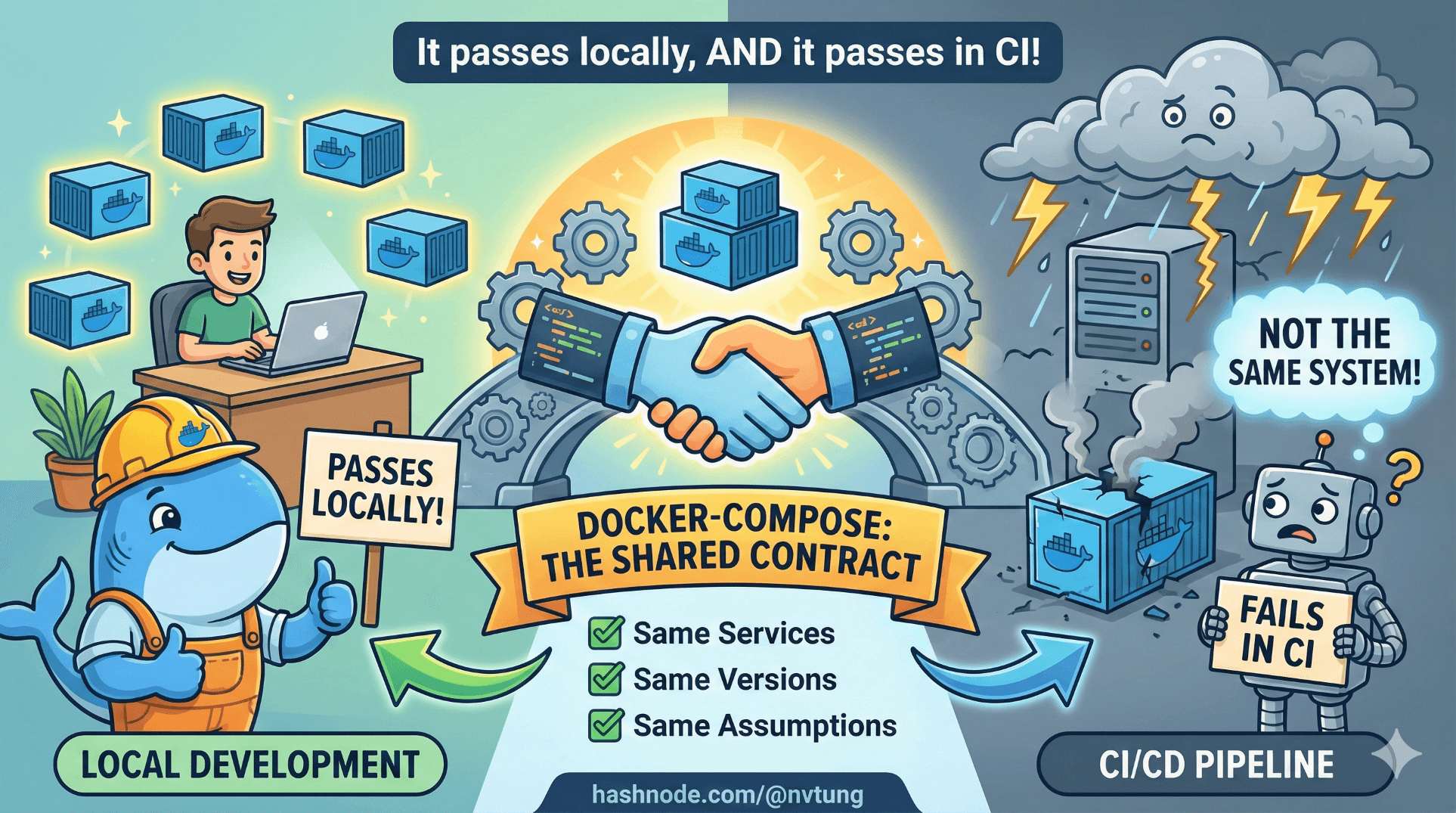
One of the quiet failures of many CI pipelines is this sentence:
“It passes locally, but fails in CI.”
That sentence almost never means “CI is broken”.
It usually means local and CI environments are not the same system.
This article shows how to use docker-compose as a shared contract between local development and CI/CD—so the same services, versions, and assumptions run everywhere.
What “CI/CD Parity” Actually Means
Parity does not mean:
Identical scale
Identical security
Identical infrastructure
Parity does mean:
Same service topology
Same runtime versions
Same environment variables
Same startup order
Same failure modes

In other words:
If it breaks in CI, you should be able to reproduce it locally without guesswork.
docker-compose is one of the most effective tools for achieving this.
Why docker-compose Is a Better CI Tool Than It Looks
docker-compose is often dismissed as “local-only tooling”. That’s a misunderstanding.
What docker-compose actually provides is:
Declarative service definitions
Deterministic networking
Explicit dependencies
Version-pinned services

Those are exactly the things CI environments lack when everything is installed ad hoc.
The trick is how you use compose in CI.
The Core Pattern: One Compose File, Multiple Contexts
The goal is not to duplicate infrastructure.
The goal is:
One primary
docker-compose.ymlOptional overrides per context (local, CI, etc.)
Example structure:
docker-compose.yml
docker-compose.ci.yml
.env
.env.ci
The base file defines the system.
Overrides adapt behavior.
Base docker-compose.yml (Shared Contract)
Example (simplified):
version: "3.9"

services:
  app:
    build: ./docker/php
    environment:
      DB_HOST: mysql
      REDIS_HOST: redis
    depends_on:
      - mysql
      - redis

  mysql:
    image: mysql:8
    environment:
      MYSQL_DATABASE: app
      MYSQL_USER: app
      MYSQL_PASSWORD: secret
    volumes:
      - mysql-data:/var/lib/mysql

  redis:
    image: redis:alpine

volumes:
  mysql-data:
This file answers:
What services exist?
How do they connect?
What state persists?
It is intentionally environment-agnostic.
CI Override File: docker-compose.ci.yml
CI has different needs:
No persistent volumes
Deterministic startup
Faster teardown
No exposed ports
Example:
services:
  mysql:
    volumes: []   # disable persistence in CI

  app:
    environment:
      APP_ENV: ci
This does not redefine services.
It modifies behavior.
Environment Variables: .env vs .env.ci
Local .env:
APP_ENV=local
DB_PASSWORD=secret
CI .env.ci:
APP_ENV=ci
DB_PASSWORD=ci-secret
In CI, you load this explicitly.
Running docker-compose in CI
The key realization:
CI runners can run Docker just like your machine can.
Most CI providers (GitHub Actions, GitLab CI, Bitbucket Pipelines) support Docker natively or via Docker-in-Docker.
Below is a provider-agnostic conceptual example.
Example CI Job Using docker-compose
# Build images
docker-compose \
  -f docker-compose.yml \
  -f docker-compose.ci.yml \
  --env-file .env.ci \
  build

# Start services
docker-compose \
  -f docker-compose.yml \
  -f docker-compose.ci.yml \
  --env-file .env.ci \
  up -d

# Run tests inside app container
docker-compose exec -T app php artisan test

# Tear down
docker-compose down
This is the same stack you run locally.
No special CI-only scripts.
No hand-installed databases.
No magic.
What Each Step Actually Guarantees
Build step
Ensures Dockerfiles are valid and dependencies install cleanlyUp step
Ensures services start in correct topologyExec tests
Runs tests inside the real runtime, with real servicesDown step
Leaves CI runners clean
If this passes in CI and fails locally, you’ve learned something valuable—and reproducible.
Common CI Failure Points (And Why They’re Good)
1. Services Not Ready Yet
CI is faster than humans.
Your app might start before MySQL is ready.
This exposes missing readiness checks.
Fixes include:
Retry logic in app
Wait scripts
Healthchecks
This is not a CI problem.
It’s a production bug being caught early.
2. Hidden Local State
If CI fails but local passes, ask:
Is my local DB pre-populated?
Is my cache warm?
Is my local
.envmasking something?
CI’s cleanliness is a feature.
3. Volume Assumptions
CI environments don’t preserve volumes between runs.
If your app depends on persistent state at startup, CI will catch it.
Again: valuable signal.

Healthchecks: Making Parity Explicit
Healthchecks make compose-based CI much more reliable.
Example:
mysql:
  image: mysql:8
  healthcheck:
    test: ["CMD", "mysqladmin", "ping", "-h", "localhost"]
    interval: 5s
    retries: 10
Then in CI:
docker-compose ps
You can block until services are healthy before testing.
Why This Beats “Install Stuff in CI”
The traditional approach:
Install MySQL
Install Redis
Configure services manually
Hope versions match
This approach:
Defines the system once
Reuses it everywhere
Makes CI failures explainable

CI becomes a consumer of your architecture, not a bespoke snowflake.
What CI/CD Parity Does Not Mean
It does not mean:
Running production-scale workloads in CI
Matching cloud infrastructure exactly
Eliminating environment variables

Parity is about shape, not scale.
When This Approach Shines
This works especially well when:
Multiple services are involved
Bugs depend on integration
Onboarding time matters
CI failures need to be debuggable locally

It’s less useful for:
Tiny single-binary apps
Extremely simple scripts
Non-containerized systems
The Long-Term Payoff
When CI/CD uses the same docker-compose stack as local dev:
CI failures reproduce locally
Local fixes pass CI predictably
New developers trust the pipeline
“It works on my machine” disappears

Not because people try harder—but because the system is the same.
Final Takeaway
docker-compose is not just a local convenience.
Used correctly, it becomes:
A living spec of your system
A shared contract between dev and CI
A force multiplier for confidence
If CI and local environments disagree, one of them is lying.
docker-compose helps make sure neither does.




