

Security Considerations in Local Containers
Building safer habits before production
Series: Containers, Actually: Building Real Local Dev Environments
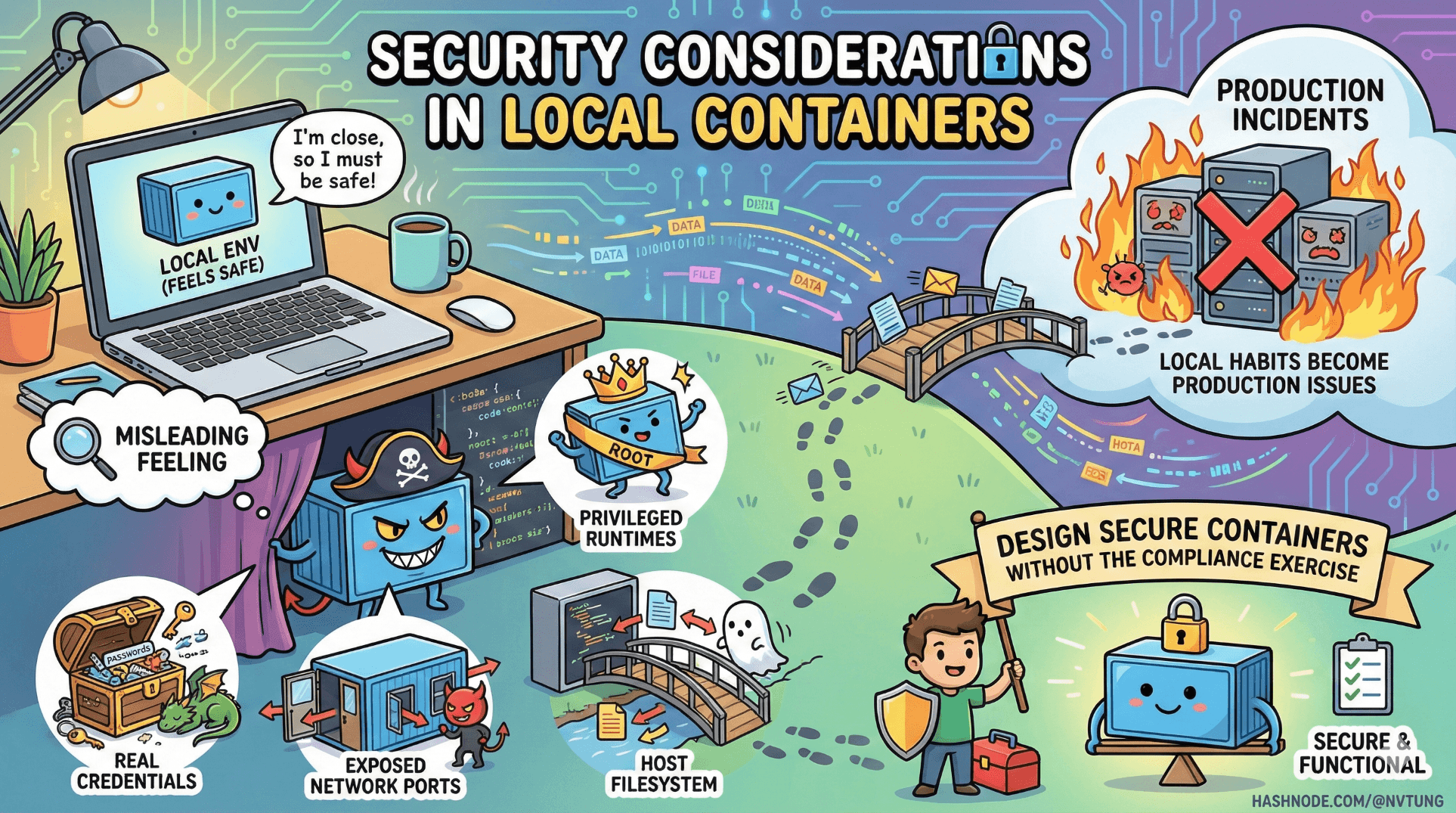
Local environments feel safe because they’re close to you.
That feeling is misleading.
Local containers regularly:
Handle real credentials
Expose network ports
Run privileged runtimes
Share filesystems with the host
Security issues that start “only locally” have a habit of becoming production incidents later—because habits travel faster than code.
This article explains how to design locally secure containers without turning development into a compliance exercise.
The First Mental Shift: “Local” Is Still a System
Local does not mean:
Isolated
Trusted
Inaccessible
Disposable by default

Local containers can:
Be scanned by malware
Be accessed by other processes
Leak secrets into logs
Expose ports to your entire network
Security begins by acknowledging that local environments are real attack surfaces.
Principle 1: Least Privilege Applies Locally Too
The most common local security mistake:
“It’s just dev, run it as root.”
That convenience almost always leaks into production assumptions.
Don’t Run App Containers as Root
Bad (default in many images):
FROM php:8.2-fpm
# runs as root
Better:
FROM php:8.2-fpm

RUN useradd -u 1000 -m appuser
USER appuser

WORKDIR /var/www/html
Why this matters:
Prevents accidental file ownership corruption
Limits container breakout impact
Forces permission clarity early
If your app requires root locally, that’s a design smell worth addressing.
Principle 2: Secrets Are Not Config
A classic mistake:
DB_PASSWORD=supersecret
API_KEY=real-production-key
Local environments tend to accumulate secrets because they’re “temporary”. They rarely are.
Use .env.example, Never Real Secrets
.env.example:
DB_PASSWORD=changeme
API_KEY=placeholder
Real secrets:
Stored in password managers
Injected via CI
Never committed
Even locally, assume:
Anything in your repo will leak eventually.
Avoid Baking Secrets into Images
Very bad:
ENV DB_PASSWORD=supersecret
Images are:
Cached
Shared
Uploaded
Hard to audit later
Secrets belong at runtime, not build time.
Principle 3: Port Exposure Is an Attack Surface
Every exposed port is a promise.
Bad:
ports:
  - "3306:3306"
This exposes MySQL to:
Your entire local network
VPN peers
Malware on your machine
Prefer Internal Networking
Containers can talk to each other without exposing ports.
mysql:
  image: mysql:8
  # no ports
Only expose ports when:
A human needs access
The service has auth
You understand the blast radius
Bind to localhost When Possible
ports:
  - "127.0.0.1:3306:3306"
This alone blocks most accidental exposure.
Principle 4: Docker Volumes Are Trust Boundaries
Volumes persist.
Containers don’t.
Anything written to a volume:
Survives rebuilds
Can leak secrets
Can outlive code changes
Never Store Secrets in Volumes
Avoid:
API tokens in files
Credentials in DB dumps
Auth cookies persisted accidentally
Example of a dangerous pattern:
volumes:
  - ./secrets:/run/secrets
Bind mounts amplify risk because:
Host tools can read them
Backup software can copy them
Malware can scan them
Principle 5: Image Trust and Supply Chain
Docker images are software supply chain artifacts.
Using this blindly:
image: some-random-image:latest
is equivalent to:
“I downloaded a random binary and ran it as root.”
Pin Image Versions Explicitly
image: mysql:8.0.36
Avoid latest everywhere except experimentation.
Prefer Official Images
Official images:
Have documented build pipelines
Receive security patches
Are scanned regularly
Third-party images may be fine—but should be audited like any dependency.
Principle 6: Reduce the Container Attack Surface
Every installed package is a liability.
Minimal Base Images
Prefer:
alpineslim variants
runtime-only images
Avoid:
Full OS images
Dev tools baked into runtime containers
Example:
FROM node:20-alpine
Instead of:
FROM node:20
Smaller images:
Build faster
Have fewer CVEs
Are easier to reason about
Principle 7: Debugging ≠ Permanent Exposure
Debug tools are powerful—and dangerous.
Examples:
Xdebug
SSH servers
Admin UIs
Database consoles
Gate Debug Tools by Environment
APP_DEBUG=true
Then in code or config:
if ($_ENV['APP_DEBUG'] !== 'true') {
    disableDebugging();
}
And in compose overrides:
app:
  environment:
    APP_DEBUG: "false"
Debug tooling should be opt-in, not ambient.
Principle 8: Docker Socket Is God Mode
Mounting the Docker socket is effectively root on the host.
Extremely dangerous:
volumes:
  - /var/run/docker.sock:/var/run/docker.sock
This allows containers to:
Start other containers
Mount host filesystems
Escape isolation entirely
Only do this when you fully understand the consequences—and never casually.
Security Scanning (Even Locally)
You don’t need enterprise tooling to catch obvious issues.
Image Scanning Example
docker scan app
Or with other tools:
docker build -t app .
trivy image app
This surfaces:
Known CVEs
Outdated packages
Risky base images
Early feedback is cheap feedback.
Local Security vs Production Security
Important distinction:
Local security is about:
Preventing bad habits
Avoiding accidental leaks
Maintaining clean boundaries

Production security is about:
Threat actors
Compliance
Auditing
Incident response
Local environments are training grounds. If they’re sloppy, production will be too.
Common Local Security Anti-Patterns
If you see these, stop:
“It’s fine, it’s just local”
“We’ll fix it later”
“Everyone does this”
“It’s too annoying to secure”

Security debt compounds faster than technical debt—because it hides.
What Good Local Security Looks Like
A secure local container setup:
Runs without root
Exposes minimal ports
Stores no real secrets
Uses pinned images
Keeps volumes intentional
Makes unsafe actions explicit

When security is visible, it becomes manageable.
Final Takeaway
Local containers are not toys.
They are:
Training environments
Habit-forming systems
Security culture incubators
If something feels unsafe locally, it is unsafe—just waiting for scale to make it obvious.
Security is not about fear.
It’s about respecting boundaries—even when no one is watching.




