

Migrating my Docker Stack to Kubernetes (Conceptual)
From Docker Compose thinking to Kubernetes reality
Series: Containers, Actually: Building Real Local Dev Environments
Kubernetes is often presented as a replacement for Docker Compose.
That framing is wrong—and expensive.
The correct framing is this:
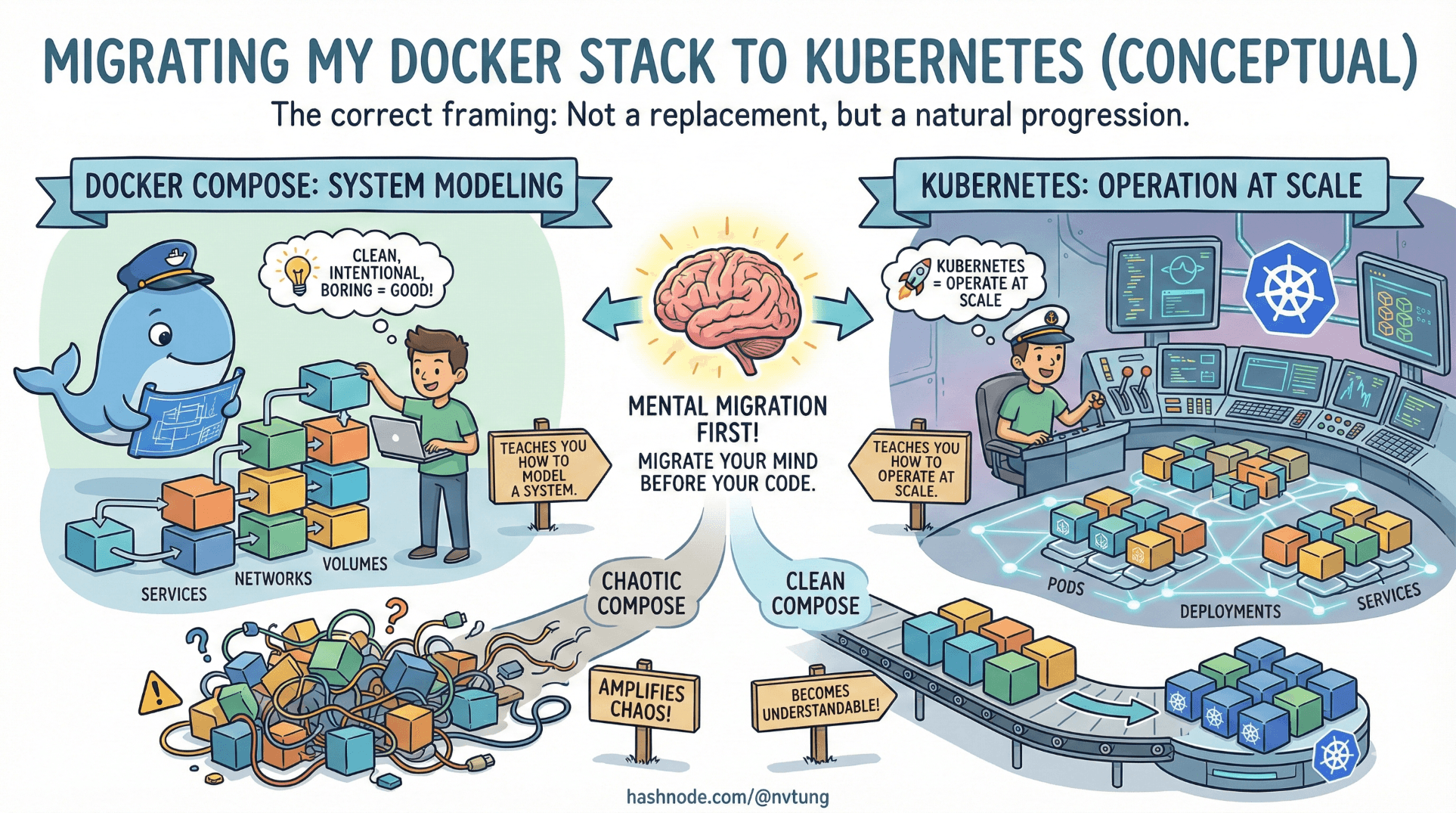
Docker Compose teaches you how to model a system.
Kubernetes teaches you how to operate that system at scale.
If your Compose setup is clean, intentional, and boring, Kubernetes becomes understandable.
If your Compose setup is chaotic, Kubernetes amplifies that chaos.
This article explains how to mentally migrate your stack before you ever migrate code.
First: What Migration Is (and Is Not)
Migrating to Kubernetes is not:
Rewriting your app
Replacing Docker
Copy-pasting YAML from tutorials
Turning everything into microservices
Migrating is:
Moving orchestration responsibility
Making implicit assumptions explicit
Adopting declarative operations at a higher level

Your containers don’t disappear.
Your control plane changes.
The Key Insight: Compose and Kubernetes Are Isomorphic
Most developers think Compose and Kubernetes are fundamentally different.
They aren’t.
They describe the same ideas at different scales.
| Docker Compose concept | Kubernetes concept |
| service | Deployment / Pod |
| container | Container |
| network | Service + DNS |
| volume | PersistentVolume |
| environment variables | ConfigMap / Secret |
| depends_on | Probes + retries |
| restart policy | Pod lifecycle |

Once you see this mapping, Kubernetes stops feeling alien.
From docker-compose.yml to Kubernetes Objects
Let’s start with a simplified Compose service.
Compose Example
services:
  app:
    image: myapp:1.0
    environment:
      DB_HOST: mysql
    depends_on:
      - mysql
This already encodes:
A runtime image
Configuration
A dependency
Kubernetes just forces you to separate concerns explicitly.
Kubernetes Deployment (Conceptual Equivalent)
apiVersion: apps/v1
kind: Deployment
metadata:
  name: app
spec:
  replicas: 2
  selector:
    matchLabels:
      app: app
  template:
    metadata:
      labels:
        app: app
    spec:
      containers:
        - name: app
          image: myapp:1.0
          env:
            - name: DB_HOST
              value: mysql
What changed?
Replicas are explicit
Lifecycle is managed
Restarts are policy-driven
What didn’t change?
The container
The runtime
The configuration intent
Networking: From Docker DNS to Kubernetes Services
In Compose, this just works:
DB_HOST=mysql
Because Docker creates a network and DNS.
Kubernetes requires you to declare that explicitly.
Kubernetes Service
apiVersion: v1
kind: Service
metadata:
  name: mysql
spec:
  selector:
    app: mysql
  ports:
    - port: 3306
Now:
mysqlresolves via cluster DNSTraffic is load-balanced
Pods can come and go safely
The mental model is identical.
Only the declaration is more verbose.
Volumes: The Biggest Conceptual Shift
This is where migrations usually hurt.
Compose Volume
volumes:
  mysql-data:

services:
  mysql:
    volumes:
      - mysql-data:/var/lib/mysql
Simple. Implicit. Local.
Kubernetes Persistence (Conceptual)
Kubernetes splits this into:
PersistentVolume (storage)
PersistentVolumeClaim (request)
apiVersion: v1
kind: PersistentVolumeClaim
metadata:
  name: mysql-pvc
spec:
  accessModes:
    - ReadWriteOnce
  resources:
    requests:
      storage: 10Gi
Then mount it:
volumeMounts:
  - mountPath: /var/lib/mysql
    name: mysql-storage
This forces you to answer questions Compose let you ignore:
Where does storage live?
How big is it?
Who owns it?
Can it move?
Painful—but necessary at scale.
Environment Variables Become ConfigMaps and Secrets
Compose:
environment:
  APP_ENV: production
Kubernetes splits this intentionally.
ConfigMap
apiVersion: v1
kind: ConfigMap
metadata:
  name: app-config
data:
  APP_ENV: production
Secret
apiVersion: v1
kind: Secret
metadata:
  name: app-secrets
stringData:
  DB_PASSWORD: supersecret
Then injected into pods.
This separation enforces discipline:
Config is visible
Secrets are controlled
Changes are auditable
Kubernetes is opinionated for a reason.
depends_on Does Not Exist (And That’s Good)
Compose:
depends_on:
  - mysql
This only controls startup order—not readiness.
Kubernetes removes this abstraction entirely.
Instead, you must design for eventual consistency.
Readiness Probes
readinessProbe:
  tcpSocket:
    port: 3306
  initialDelaySeconds: 10
This shifts responsibility:
From the orchestrator
To the application
If your app can’t handle dependencies being temporarily unavailable, Kubernetes will surface that weakness immediately.
This is painful—and healthy.
Scaling: From Manual to Declarative
Compose scaling:
docker-compose up --scale app=3
Kubernetes scaling:
replicas: 3
Plus autoscaling:
apiVersion: autoscaling/v2
kind: HorizontalPodAutoscaler
Scaling stops being an action.
It becomes a policy.
What Kubernetes Adds (That Compose Never Will)
Kubernetes earns its complexity by adding:
Self-healing
Declarative desired state
Rolling updates
Resource quotas
Namespaces
RBAC
Observability hooks

If you don’t need these, Kubernetes is overkill.
If you do need them, Compose cannot grow into them.
When Migration Makes Sense
You should consider Kubernetes when:
You need horizontal scaling
You run multiple environments continuously
You require zero-downtime deploys
You need strong isolation and governance
Your team can support the operational cost

You should not migrate just because:
“Everyone uses Kubernetes”
Compose feels “too simple”
You want resume keywords
Complexity should be earned.
A Pragmatic Migration Path
A sane progression looks like this:
Docker Compose (local + CI)
Compose + CI/CD parity
Multi-env Compose
Kubernetes for staging
Kubernetes for production

At no point do you throw away Docker knowledge.
Kubernetes does not replace Compose thinking.
It extends it.
The Final Insight
If migrating to Kubernetes feels overwhelming, the problem is rarely Kubernetes.
It’s usually that:
System boundaries were unclear
State was implicit
Dependencies were fragile
Environments were inconsistent
Kubernetes exposes those issues. It doesn’t create them.
Final Takeaway
Docker Compose teaches you to design systems.
Kubernetes teaches you to operate systems under pressure.
If you master the first, the second becomes survivable.
Kubernetes is not a destination.
It’s a responsibility.
And responsibility should only be taken on deliberately.




