

Core Docker Concepts Without the Mysticism
Building clear mental models for Docker systems
Series: Containers, Actually: Building Real Local Dev Environments
ACT I — Foundations: Containerized Local Development
Previous: What a Modern Full-Stack App Really Is
Next: Docker on Windows: The Good, the Bad, and WSL 2
Docker often feels mysterious for a simple reason: it’s usually taught backwards.
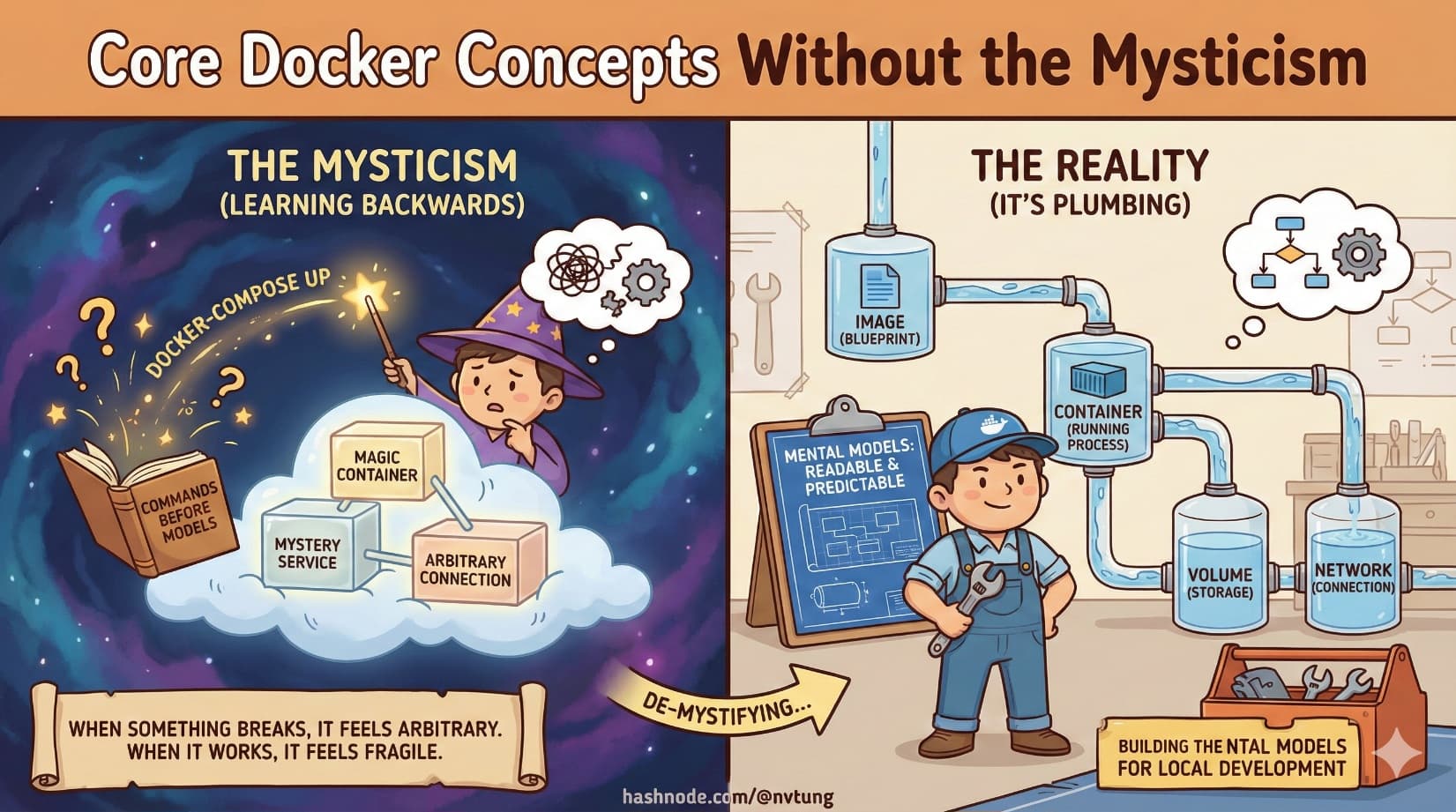
People are shown commands before they’re given models. They learn to type docker-compose up long before they understand what is being created, started, connected, and discarded. When something breaks, it feels arbitrary. When something works, it feels fragile.
Docker isn’t magic. It’s plumbing.
This article builds the mental models that make Docker systems readable and predictable—especially in local development setups with multiple services.
Images vs Containers: Blueprints and Buildings
This distinction is foundational, and misunderstanding it poisons everything downstream.
A Docker image is a blueprint.
A Docker container is a running instance of that blueprint.
Images are:
Built from instructions
Immutable
Versioned
Reusable
Containers are:
Created from images
Running processes
Disposable
State-bearing (temporarily)

You can create many containers from the same image. You can delete a container without deleting the image. When something behaves strangely, ask first: is this an image problem, or a container problem?
Most confusion comes from mixing those layers.
Layers and Caching: Why Docker Builds Feel Fast (Until They Don’t)
Docker images are built in layers. Each instruction in a Dockerfile creates a new layer.
Think of layers like transparencies stacked on top of each other:
Base OS
Runtime
Dependencies
Application code
When Docker rebuilds an image, it checks whether each layer has changed. If not, it reuses the cached version. This is why changing one line at the bottom of a Dockerfile is fast, while changing something near the top forces a full rebuild.
Good Dockerfiles are structured to maximize cache reuse:
Stable steps first
Frequently changing code last

This isn’t optimization trivia—it’s about feedback speed during development.
Volumes vs Bind Mounts: Persistence vs Convenience
Containers are ephemeral. Files inside them disappear when they’re destroyed. That’s a feature—but not all data should vanish.
This is where volumes and bind mounts come in.
Volumes
Volumes are Docker-managed storage.
They:
Persist beyond container lifetimes
Live outside the container filesystem
Are ideal for databases and stateful services
Are portable and safe
If you care about data surviving restarts, it belongs in a volume.
Bind Mounts
Bind mounts map a host directory directly into a container.
They:
Reflect file changes instantly
Are ideal for source code during development
Depend on host filesystem behavior
Can be slower or fragile on some platforms
Bind mounts trade isolation for immediacy. They’re powerful—but should be used intentionally.

A simple rule holds surprisingly well:
Code → bind mount
Data → volume
Networks: How Containers Find Each Other
Containers do not magically communicate. Docker creates networks that define which containers can talk to which.
Within a Docker network:
Containers can reach each other by service name
DNS resolution is automatic
IP addresses are abstracted away

This is why an app connects to mysql, not localhost.
Networks enforce boundaries and make service relationships explicit. When reading a docker-compose file, network definitions tell you which services are meant to cooperate.
Ports and Exposure: Inside vs Outside the Container
A container can listen on ports internally without exposing them to the host.
Port mapping answers one question:
“Which services should the outside world see?”
When you see:
4202:80
It means:
Container listens on port 80
Host exposes it on port 4202

No mapping means no external access—even if the service is running. This distinction matters for security, debugging, and architecture clarity.
Dockerfile vs docker-compose.yml: Construction vs Coordination
These two files serve entirely different purposes.
Dockerfile
A Dockerfile answers:
“How do I build this image?”
It defines:
Base image
Runtime environment
Dependencies
Build steps
Default commands
It describes one container.
docker-compose.yml
docker-compose answers:
“How do these containers work together?”
It defines:
Which images to run
How many services exist
Environment variables
Volumes
Networks
Port mappings
Startup relationships
It describes a system.

Confusing these roles leads to bloated Dockerfiles and brittle setups.
Best Practices That Actually Matter
One Concern Per Container
Each container should do one job. Not because it’s trendy, but because it aligns with how containers are built, scaled, and replaced.
When a container fails, you want to know why immediately.
Stateless App Containers
Application containers should not store durable state internally.
If deleting a container loses critical data, the architecture is already compromised. Statelessness enables:
Easy restarts
Horizontal scaling
Predictable behavior
State belongs elsewhere.
Data Lives in Volumes
Databases, caches, search indexes—anything expensive to recreate—should use volumes.
Volumes make containers disposable without making data fragile.
Containers Are Cattle, Not Pets (With Nuance)
This phrase is often misunderstood.
It doesn’t mean:
You don’t care about containers
You never debug them
You ignore failures
It means:
Containers are replaceable
You don’t manually nurse them back to health
You fix the definition, not the instance

In local development, you will occasionally “pet” containers for debugging. That’s fine. The key is not to rely on that state for correctness.
Reading a docker-compose.yml With Confidence
Once these concepts click, a docker-compose file stops being intimidating.
You can answer:
What services exist?
Which ones persist data?
Which ones talk to each other?
Which ones are exposed externally?
Which ones can be safely restarted?

That’s the goal. Docker is not about commands—it’s about declared relationships.
Where This Leads Next
Now that we have a clear model of how Docker works internally, the next challenge is applying it in the real world—especially on Windows.
In the next article, we’ll confront Docker on Windows honestly: WSL 2, filesystem performance, resource tuning, and why “just install Docker Desktop” is not the full story.
Mystery dissolves when structure appears.
Docker becomes usable when it becomes readable.




