

Datahub Technology Choices: Tools That Fit the Pattern
Choosing messaging, storage, and integration tools by responsibility
Series: Designing a Microservice-Friendly Datahub
PART I — FOUNDATIONS: THE “WHY” AND “WHAT”
Previous: Core Building Blocks of a Microservice-Friendly Datahub
Next: Designing for Decoupling and Evolution
Once architects start talking about Datahub patterns, the next question is almost guaranteed:
“Okay—but which tools should we actually use?”
This is where many otherwise solid designs go sideways. Tool discussions quickly turn tribal. People argue for Kafka, RabbitMQ, Redis, REST, gRPC, or whatever they’ve used most recently—often without revisiting the problem the tool is meant to solve.
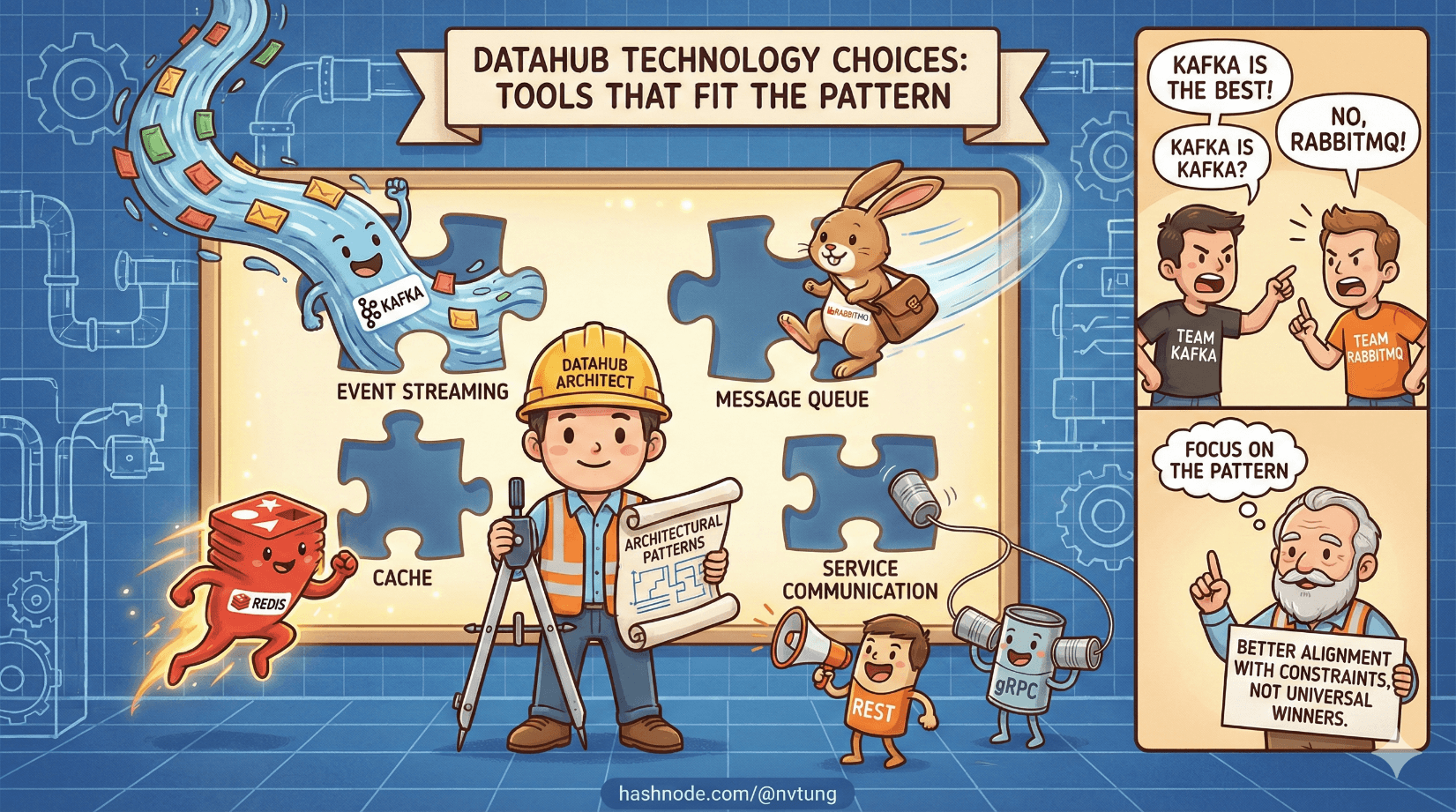
This article is about grounding those choices. Not by declaring winners, but by understanding why certain tools fit certain architectural roles, and why there is no universally “best” option—only better alignment with constraints.
Start With the Rule: Architecture First, Tools Second
A recurring theme in this series is that architecture defines responsibilities; tools merely implement them.
If you don’t know:
who produces data,
who owns it,
who consumes it,
and how failures should behave,
then choosing tools early just locks in confusion faster.

Technology choices should answer one question only:
Which tool best fulfills this specific responsibility under our constraints?
With that lens in place, let’s map the main Datahub concepts to real-world technologies.
Message Brokers: RabbitMQ vs Kafka
Message brokers sit at the heart of most Datahub architectures, but not all brokers behave the same.
RabbitMQ: Communication-Focused Messaging
RabbitMQ is optimized for message routing and delivery, not event history.
It excels when:
You need flexible routing (topics, fanout, headers)
Message rates are moderate
Low latency matters
You care about per-message acknowledgment
Consumers come and go dynamically
RabbitMQ feels natural for:
Business events
Workflow coordination
Integration-heavy systems
Enterprise environments with heterogeneous stacks
It behaves like a smart post office—messages arrive, get routed, and are delivered reliably.
Kafka: Event Log and Data Backbone
Kafka is not primarily a message router—it’s a distributed commit log.
Kafka shines when:
Throughput is extremely high
You need long-term event retention
Consumers replay history
Ordering within partitions matters
Event streams are part of your data model
Kafka fits systems that treat events as:
Historical records
Rebuildable state
Streaming data sources
Kafka behaves more like a ledger than a mailbox.

When RabbitMQ Beats Kafka
RabbitMQ is often the better choice when:
You’re integrating many business systems
Event volume is modest to high, but not massive
You need routing flexibility
Operational simplicity matters
You don’t need years of event retention
Many enterprise systems overestimate their need for Kafka and underestimate the cost of running it well.
When Kafka Becomes Necessary
Kafka earns its complexity when:
Events are the product
You need stream processing
You want full replayability
Data volume justifies operational overhead
Kafka isn’t “more advanced.” It’s different.

In-Memory Systems: Redis and Redis Streams
Redis often enters architectures as a cache—but in Datahub systems, it frequently takes on a more interesting role.
Redis as an Event Buffer
Redis Streams provide:
Fast, in-memory event buffering
Consumer groups
Backpressure handling
Lightweight durability
They’re especially useful when:
Events are transient
You don’t need long-term retention
Latency matters
You want operational simplicity
Redis Streams sit comfortably between:
In-process queues (too fragile)
Heavyweight streaming platforms (overkill)

When Redis Streams Is “Good Enough”
Redis Streams is often the right choice when:
You need event buffering, not history
You already operate Redis
Event rates are moderate
You want minimal infrastructure overhead
“Good enough” here is not a compromise—it’s right-sized engineering.
Not every event deserves to live forever.
REST vs Messaging: Different Problems, Different Tools
One of the most common mistakes in distributed systems is trying to make one communication style do everything.
REST: Intent and Queries
REST APIs excel at:
Queries
Administrative actions
External integrations
Human-triggered workflows
REST assumes:
A known target
A response
Synchronous interaction
REST belongs in the control plane.
Messaging: Facts and Reactions
Messaging excels at:
Event propagation
Decoupling producers from consumers
Asynchronous workflows
System-to-system communication
Messaging assumes:
No immediate response
No knowledge of consumers
Eventual delivery
Messaging belongs in the data plane.

Trying to replace messaging with REST leads to chatty APIs and fragile dependency chains. Trying to replace REST with messaging leads to awkward, delayed interactions.
Healthy systems use both—with discipline.
Background Workers: Where Asynchrony Lives
Background workers are the muscles of event-driven systems.
They:
Consume messages
Apply business logic
Call APIs
Write to databases
Emit new events
Crucially, workers should be:
Stateless or lightly stateful
Horizontally scalable
Restartable
Idempotent
Workers let you:
Isolate slow tasks
Retry safely
Absorb bursts
Keep user-facing systems responsive

They are not secondary citizens. In Datahub architectures, workers are first-class services.
Polyglot Services: Let the Job Pick the Language
One of the quiet benefits of Datahub architectures is language freedom.
Because communication happens through:
Events
APIs
Contracts
…services no longer need to share runtime environments.

This allows teams to:
Use PHP where legacy systems exist
Use .NET or Java for heavy processing
Use Node.js or Python for glue logic
Choose tools that fit the problem, not the stack
Polyglot systems are not about novelty—they’re about pragmatism.
Tradeoffs, Not “Best Tools”
Every tool introduces:
Operational cost
Cognitive load
Failure modes
Good architecture isn’t about choosing the most powerful tool. It’s about choosing the least powerful tool that satisfies the requirements.

Ask:
Do we need event history, or just propagation?
Do we need routing flexibility or raw throughput?
Do we need millisecond latency or massive scale?
Do we need strict ordering, or eventual convergence?
The answers shape the toolset.
Why This Matters for a Datahub
A Datahub succeeds or fails not on technology sophistication, but on fit.
When tools align with responsibilities:
Systems remain understandable
Teams stay autonomous
Scaling stays incremental
Failures stay local

When tools are chosen by fashion or fear:
Complexity explodes
Responsibility blurs
Systems calcify
Where We Go Next
Choosing the right tools is only half the story. Even well-matched technologies can fail if the architecture can’t adapt as requirements, teams, and workloads change. In the next article, we’ll focus on Designing for Decoupling and Evolution, exploring the patterns that allow a Datahub-based system to grow and change without constant rewrites or fragile dependencies.




