

Building the BFF in .NET Core: Minimal APIs, Routing & Aggregation
Standing up the BFF service, aggregating upstream calls, shaping responses, and handling errors with real code.
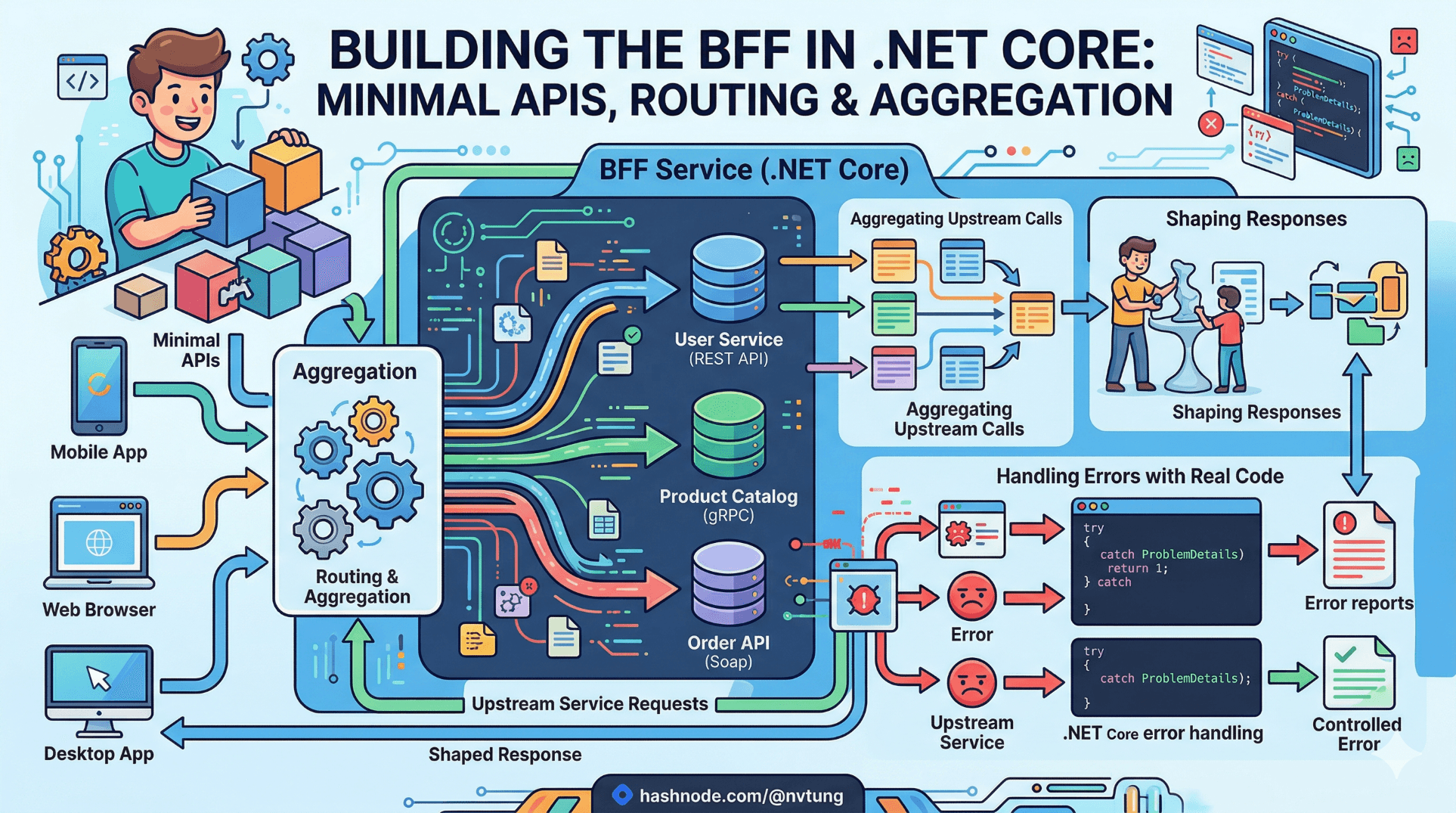
A note on the code in this article. The implementation shown here is derived from a production BFF built for a Norwegian enterprise education platform. Service names, domain models, and certain structural details have been generalised to meet NDA obligations. The architectural patterns, code structure, error handling strategies, and the specific problems each decision solves are drawn directly from what was deployed and operated in production. Nothing here is invented for illustration.
The previous two articles covered what a BFF should do and why it earns its place in your architecture. This article covers how to build one — in .NET Core, with Minimal APIs, from an empty project to a production-ready service that aggregates upstream calls, shapes responses for Vue, and handles failures gracefully.
There is a gap between "here is the pattern" and "here is the thing running in production," and most articles stop before bridging it. This one does not. The code examples are complete enough to be followed, the decisions behind them are explained, and the production failure modes they address are named.
Project setup and structure
Start with a minimal .NET 8 Web API project. The BFF does not need controllers — Minimal APIs are the right tool here. They are explicit, lightweight, and push route organisation into the project structure rather than into a controller inheritance hierarchy.
dotnet new web -n EducationPlatform.Bff
cd EducationPlatform.Bff
dotnet add package Microsoft.AspNetCore.Authentication.JwtBearer
dotnet add package Microsoft.Extensions.Http.Resilience
dotnet add package Microsoft.AspNetCore.Authentication.Cookies
dotnet add package Serilog.AspNetCore
dotnet add package Serilog.Sinks.ApplicationInsights
The project structure that emerged from the production implementation:
EducationPlatform.Bff/
├── Endpoints/
│   ├── DashboardEndpoints.cs
│   ├── CourseEndpoints.cs
│   └── SessionEndpoints.cs
├── Aggregators/
│   ├── DashboardAggregator.cs
│   └── CourseAggregator.cs
├── Clients/
│   ├── UserServiceClient.cs
│   ├── CourseServiceClient.cs
│   ├── SessionServiceClient.cs
│   └── NotificationServiceClient.cs
├── Contracts/
│   ├── Requests/
│   └── Responses/
├── Errors/
│   └── BffProblemDetails.cs
├── Middleware/
│   └── CorrelationIdMiddleware.cs
└── Program.cs
The separation between Clients and Aggregators is the key structural decision. Clients know how to talk to one upstream service. Aggregators know how to compose multiple client calls into a single, shaped response. Endpoints know which aggregator to call and how to map the result to an HTTP response. No layer bleeds into another's concern.
Program.cs: wiring the service
The entry point registers services, configures HTTP clients, and maps endpoints. Keep it declarative — the configuration intent should be readable without tracing through implementation details.
using EducationPlatform.Bff.Clients;
using EducationPlatform.Bff.Endpoints;
using EducationPlatform.Bff.Middleware;
using Serilog;

var builder = WebApplication.CreateBuilder(args);

// Logging — Serilog with Application Insights sink
builder.Host.UseSerilog((ctx, cfg) => cfg
    .ReadFrom.Configuration(ctx.Configuration)
    .Enrich.FromLogContext()
    .Enrich.WithProperty("Service", "bff")
    .WriteTo.Console()
    .WriteTo.ApplicationInsights(
        ctx.Configuration["ApplicationInsights:ConnectionString"],
        TelemetryConverter.Traces));

// HTTP clients with resilience
builder.Services.AddHttpClient<UserServiceClient>(client =>
    client.BaseAddress = new Uri(builder.Configuration["Services:UserService:BaseUrl"]!))
    .AddStandardResilienceHandler();

builder.Services.AddHttpClient<CourseServiceClient>(client =>
    client.BaseAddress = new Uri(builder.Configuration["Services:CourseService:BaseUrl"]!))
    .AddStandardResilienceHandler();

builder.Services.AddHttpClient<SessionServiceClient>(client =>
    client.BaseAddress = new Uri(builder.Configuration["Services:SessionService:BaseUrl"]!))
    .AddStandardResilienceHandler();

builder.Services.AddHttpClient<NotificationServiceClient>(client =>
    client.BaseAddress = new Uri(builder.Configuration["Services:NotificationService:BaseUrl"]!))
    .AddStandardResilienceHandler();

// Aggregators
builder.Services.AddScoped<DashboardAggregator>();
builder.Services.AddScoped<CourseAggregator>();

// Auth — covered in depth in Article 6
builder.Services.AddAuthentication("cookie")
    .AddCookie("cookie");
builder.Services.AddAuthorization();

// Problem details for structured error responses
builder.Services.AddProblemDetails();

var app = builder.Build();

// Middleware pipeline
app.UseMiddleware<CorrelationIdMiddleware>();
app.UseSerilogRequestLogging();
app.UseAuthentication();
app.UseAuthorization();

// Endpoint registration
app.MapDashboardEndpoints();
app.MapCourseEndpoints();
app.MapSessionEndpoints();

app.Run();
AddStandardResilienceHandler() comes from Microsoft.Extensions.Http.Resilience. It wires retry, circuit breaker, timeout, and hedging policies with sensible defaults — without requiring manual Polly configuration for the standard case. Article Extra E covers customising these policies for partial failure scenarios that the standard handler does not cover.
The typed HTTP clients
Each upstream service gets a dedicated typed client. The client is responsible for one thing: making HTTP calls to that service and deserialising the response. It does not shape, transform, or make decisions about what the frontend needs.
// Clients/CourseServiceClient.cs
public sealed class CourseServiceClient(HttpClient http, ILogger<CourseServiceClient> logger)
{
    public async Task<IReadOnlyList<CourseDto>?> GetCoursesByOrgAsync(
        string orgId,
        CancellationToken ct = default)
    {
        try
        {
            var response = await http.GetAsync($"courses?orgId={orgId}", ct);
            response.EnsureSuccessStatusCode();
            return await response.Content.ReadFromJsonAsync<IReadOnlyList<CourseDto>>(ct);
        }
        catch (HttpRequestException ex)
        {
            logger.LogWarning(ex,
                "Course service unavailable for orgId {OrgId}. StatusCode: {Status}",
                orgId, ex.StatusCode);
            return null; // Caller decides how to handle absence
        }
    }

    public async Task<CourseDetailDto?> GetCourseDetailAsync(
        string courseId,
        CancellationToken ct = default)
    {
        try
        {
            var response = await http.GetAsync($"courses/{courseId}", ct);
            if (response.StatusCode == HttpStatusCode.NotFound) return null;
            response.EnsureSuccessStatusCode();
            return await response.Content.ReadFromJsonAsync<CourseDetailDto>(ct);
        }
        catch (HttpRequestException ex)
        {
            logger.LogWarning(ex,
                "Failed to retrieve course {CourseId}. StatusCode: {Status}",
                courseId, ex.StatusCode);
            return null;
        }
    }
}
Returning null on upstream failure is a deliberate choice. The client signals absence; the aggregator decides whether absence means degraded response or hard failure. This keeps failure policy out of the client and in the layer that understands what the client surface needs.
The DTOs the client deserialises into mirror the upstream service's response shape exactly. They are internal types — they never leave the BFF:
// Contracts internal upstream DTOs - never exposed to Vue
internal sealed record CourseDto(
    string Id,
    CourseMetadataDto Metadata,
    EnrollmentDto Enrollment,
    CourseStatusDto Status
);

internal sealed record CourseMetadataDto(
    string Title,
    string Code,
    CurriculumDto Curriculum
);

internal sealed record EnrollmentDto(int Capacity, int Enrolled, int Waitlist);
internal sealed record CourseStatusDto(string Code, DateTimeOffset Since);
The aggregator: orchestrating upstream calls
The aggregator is the most important class in the BFF. It owns the dependency graph of upstream calls, executes them efficiently, shapes the merged result into a response the Vue application can consume directly, and decides how to handle partial failures.
// Aggregators/DashboardAggregator.cs
public sealed class DashboardAggregator(
    UserServiceClient userClient,
    CourseServiceClient courseClient,
    SessionServiceClient sessionClient,
    NotificationServiceClient notificationClient,
    ILogger<DashboardAggregator> logger)
{
    public async Task<DashboardResponse> AggregateAsync(
        string userId,
        CancellationToken ct = default)
    {
        var partialFailures = new List<string>();

        // Phase 1: independent calls in parallel
        var profileTask = userClient.GetProfileAsync(userId, ct);
        var notificationTask = notificationClient.GetUnreadCountAsync(userId, ct);

        await Task.WhenAll(profileTask, notificationTask);

        var profile = profileTask.Result;

        // Profile is required — cannot render a meaningful dashboard without it
        if (profile is null)
        {
            logger.LogError("User profile unavailable for userId {UserId}. Aborting aggregation.", userId);
            throw new BffAggregationException("User profile service unavailable.");
        }

        // Phase 2: depends on orgId from profile
        var courses = await courseClient.GetCoursesByOrgAsync(profile.OrgId, ct);
        if (courses is null)
        {
            logger.LogWarning("Course service unavailable for org {OrgId}. Returning degraded response.", profile.OrgId);
            partialFailures.Add("courses");
        }

        // Phase 3: depends on courseIds from Phase 2
        IReadOnlyList<SessionDto>? sessions = null;
        if (courses is not null && courses.Count > 0)
        {
            var courseIds = courses.Select(c => c.Id).ToArray();
            sessions = await sessionClient.GetUpcomingAsync(courseIds, limit: 3, ct);
            if (sessions is null)
            {
                logger.LogWarning("Session service unavailable. Returning degraded response.");
                partialFailures.Add("sessions");
            }
        }

        return new DashboardResponse(
            User: ShapeUserProfile(profile),
            Courses: courses?.Select(ShapeCourse).ToList() ?? [],
            UpcomingSessions: sessions?.Select(ShapeSession).ToList() ?? [],
            Notifications: new NotificationSummary(notificationTask.Result ?? 0),
            PartialFailures: partialFailures
        );
    }

    // Shape methods: upstream DTO → Vue response contract
    private static UserProfileResponse ShapeUserProfile(UserProfileDto dto) =>
        new(
            DisplayName: $"{dto.FirstName} {dto.LastName}",
            Role: TranslateRole(dto.RoleCode),
            AvatarUrl: dto.AvatarPath is not null
                ? $"/media/avatars/{dto.AvatarPath}"
                : null
        );

    private static CourseResponse ShapeCourse(CourseDto dto) =>
        new(
            Id: dto.Id,
            Title: dto.Metadata.Title,
            Code: dto.Metadata.Code,
            EnrollmentLabel: $"{dto.Enrollment.Enrolled} / {dto.Enrollment.Capacity}",
            EnrollmentPercent: dto.Enrollment.Capacity > 0
                ? (int)Math.Round((dto.Enrollment.Enrolled / (double)dto.Enrollment.Capacity) * 100)
                : 0,
            Status: TranslateStatus(dto.Status.Code)
        );

    private static SessionResponse ShapeSession(SessionDto dto) =>
        new(
            Id: dto.Id,
            Title: dto.Title,
            StartsAt: dto.StartsAt.ToString("yyyy-MM-ddTHH:mm:ss"),
            CourseTitle: dto.CourseTitle,
            LocationLabel: dto.Room is not null ? $"Room {dto.Room}" : "Online"
        );

    private static string TranslateRole(string roleCode) => roleCode switch
    {
        "TEACHER" => "Teacher",
        "STUDENT" => "Student",
        "ADMIN"   => "Administrator",
        _         => "Unknown"
    };

    private static string TranslateStatus(string statusCode) => statusCode switch
    {
        "ACTIVE"   => "Active",
        "INACTIVE" => "Inactive",
        "DRAFT"    => "Draft",
        _          => statusCode
    };
}
Three decisions worth making explicit here:
Profile failure is a hard error; course and session failure is degraded. The dashboard cannot render without a user profile — there is no meaningful fallback. Course and session data, by contrast, can fail independently. The Vue component handles courses: [] and partialFailures: ["courses"] by showing an empty state with an appropriate message. This distinction — required vs. supplementary data — must be made per-aggregator based on what each screen actually needs.
Shape methods are private and co-located with the aggregator. The shaping logic belongs next to the aggregation logic it serves. A separate CourseShaper class would be indirection without benefit at this scale. If shaping logic grows complex enough to warrant extraction, that is a signal to reconsider the response contract design.
The partialFailures list is part of the response contract. The Vue application receives this and uses it to decide what to render. This is not error handling hidden from the client — it is explicit communication of what succeeded and what did not, at the response level.
The response contracts
The types exposed to the Vue application are defined separately from the internal upstream DTOs. This is the BFF's external contract — it should be stable and versioned independently of internal implementation.
// Contracts/Responses/DashboardResponse.cs
public sealed record DashboardResponse(
    UserProfileResponse User,
    IReadOnlyList<CourseResponse> Courses,
    IReadOnlyList<SessionResponse> UpcomingSessions,
    NotificationSummary Notifications,
    IReadOnlyList<string> PartialFailures
);

public sealed record UserProfileResponse(
    string DisplayName,
    string Role,
    string? AvatarUrl
);

public sealed record CourseResponse(
    string Id,
    string Title,
    string Code,
    string EnrollmentLabel,
    int EnrollmentPercent,
    string Status
);

public sealed record SessionResponse(
    string Id,
    string Title,
    string StartsAt,
    string CourseTitle,
    string LocationLabel
);

public sealed record NotificationSummary(int Count);
Using record types for response contracts gives structural equality, immutability, and clean JSON serialisation out of the box. The records are not annotated with [JsonPropertyName] unless the Vue convention demands camelCase divergence from the default serialiser behaviour — which .NET's JsonSerializerOptions.PropertyNamingPolicy = JsonNamingPolicy.CamelCase handles globally.
The endpoint layer
Endpoints are thin. They authenticate the request, extract route or query parameters, call the aggregator, and return the result. Nothing more.
// Endpoints/DashboardEndpoints.cs
public static class DashboardEndpoints
{
    public static IEndpointRouteBuilder MapDashboardEndpoints(
        this IEndpointRouteBuilder app)
    {
        var group = app.MapGroup("/api/dashboard")
            .RequireAuthorization();

        group.MapGet("/", GetDashboardAsync)
            .WithName("GetDashboard")
            .WithOpenApi();

        return app;
    }

    private static async Task<IResult> GetDashboardAsync(
        HttpContext ctx,
        DashboardAggregator aggregator,
        CancellationToken ct)
    {
        var userId = ctx.User.FindFirstValue(ClaimTypes.NameIdentifier);

        if (userId is null)
            return Results.Problem(
                detail: "Authenticated user identity could not be resolved.",
                statusCode: StatusCodes.Status401Unauthorized);

        try
        {
            var response = await aggregator.AggregateAsync(userId, ct);
            return Results.Ok(response);
        }
        catch (BffAggregationException ex)
        {
            return Results.Problem(
                detail: ex.Message,
                statusCode: StatusCodes.Status503ServiceUnavailable,
                title: "Upstream service unavailable");
        }
    }
}
The endpoint does not know what an aggregator does internally. It knows how to interpret the result and how to translate a BffAggregationException into a 503 Problem Details response. This is the correct division.
Route grouping and versioning
Route groups keep related endpoints together and make versioning explicit when it becomes necessary:
// For stable endpoints — no version in path
var group = app.MapGroup("/api/dashboard").RequireAuthorization();

// When a breaking contract change is required
var v2Group = app.MapGroup("/api/v2/dashboard").RequireAuthorization();
In the production system, versioned groups were introduced only twice in the service's lifetime — both during major screen redesigns. Day-to-day contract evolution was additive only, keeping the URL stable. This is the versioning discipline described in Article 2 in practice.
Error handling: the BFF error contract
The Vue application needs consistent, structured error information. .NET's Problem Details (RFC 7807) provides this structure out of the box, and the BFF should use it exclusively.
// Errors/BffProblemDetails.cs
public sealed class BffAggregationException(string message) : Exception(message);
public sealed class BffNotFoundException(string resource)
    : Exception($"Resource not found: {resource}");

// Global exception handler registered in Program.cs
app.UseExceptionHandler(exceptionApp =>
{
    exceptionApp.Run(async ctx =>
    {
        ctx.Response.ContentType = "application/problem+json";

        var ex = ctx.Features.Get<IExceptionHandlerFeature>()?.Error;
        var logger = ctx.RequestServices.GetRequiredService<ILogger<Program>>();

        var (status, title, detail) = ex switch
        {
            BffAggregationException e =>
                (503, "Upstream service unavailable", e.Message),
            BffNotFoundException e =>
                (404, "Resource not found", e.Message),
            OperationCanceledException =>
                (499, "Request cancelled", "The request was cancelled by the client."),
            _ =>
                (500, "Unexpected error", "An unexpected error occurred. Correlation ID: " +
                    ctx.TraceIdentifier)
        };

        logger.LogError(ex, "Unhandled exception. CorrelationId: {CorrelationId}", ctx.TraceIdentifier);

        ctx.Response.StatusCode = status;
        await ctx.Response.WriteAsJsonAsync(new
        {
            type = $"https://bff.educationplatform.no/errors/{title.ToLower().Replace(' ', '-')}",
            title,
            status,
            detail,
            traceId = ctx.TraceIdentifier
        });
    });
});
The traceId in every error response is the correlation ID that threads through Application Insights. When a 503 appears in the Vue application and an engineer opens Application Insights, searching by traceId surfaces every log entry for that request — BFF logs, upstream client logs, the exception itself. This is not gold-plating; it is the minimum viable observability for a service that aggregates multiple upstreams.
Correlation ID middleware
Every request entering the BFF should carry a correlation ID that propagates to every upstream call. This is the mechanism that makes request tracing work across service boundaries.
// Middleware/CorrelationIdMiddleware.cs
public sealed class CorrelationIdMiddleware(RequestDelegate next)
{
    private const string CorrelationIdHeader = "X-Correlation-Id";

    public async Task InvokeAsync(HttpContext ctx)
    {
        var correlationId = ctx.Request.Headers[CorrelationIdHeader].FirstOrDefault()
            ?? Activity.Current?.Id
            ?? ctx.TraceIdentifier;

        ctx.Response.Headers[CorrelationIdHeader] = correlationId;

        using (LogContext.PushProperty("CorrelationId", correlationId))
        {
            await next(ctx);
        }
    }
}
And in each typed client, the correlation ID is forwarded on every outgoing request:
// Clients/CourseServiceClient.cs — updated constructor
public sealed class CourseServiceClient(
    HttpClient http,
    IHttpContextAccessor contextAccessor,
    ILogger<CourseServiceClient> logger)
{
    private void AttachCorrelationId(HttpRequestMessage request)
    {
        var correlationId = contextAccessor.HttpContext?
            .Response.Headers["X-Correlation-Id"].FirstOrDefault();
        if (correlationId is not null)
            request.Headers.TryAddWithoutValidation("X-Correlation-Id", correlationId);
    }

    public async Task<IReadOnlyList<CourseDto>?> GetCoursesByOrgAsync(
        string orgId, CancellationToken ct = default)
    {
        var request = new HttpRequestMessage(HttpMethod.Get, $"courses?orgId={orgId}");
        AttachCorrelationId(request);
        try
        {
            var response = await http.SendAsync(request, ct);
            response.EnsureSuccessStatusCode();
            return await response.Content.ReadFromJsonAsync<IReadOnlyList<CourseDto>>(ct);
        }
        catch (HttpRequestException ex)
        {
            logger.LogWarning(ex,
                "Course service unavailable for orgId {OrgId}", orgId);
            return null;
        }
    }
}
Register IHttpContextAccessor in Program.cs:
builder.Services.AddHttpContextAccessor();
Configuration and appsettings
The BFF reads service base URLs, authentication configuration, and Application Insights connection string from appsettings.json, with environment-specific overrides injected as environment variables in Azure Container Instances.
// appsettings.json
{
  "Services": {
    "UserService": { "BaseUrl": "https://user-service.internal/" },
    "CourseService": { "BaseUrl": "https://course-service.internal/" },
    "SessionService": { "BaseUrl": "https://session-service.internal/" },
    "NotificationService": { "BaseUrl": "https://notification-service.internal/" }
  },
  "ApplicationInsights": {
    "ConnectionString": "" // Injected at runtime via environment variable
  },
  "Authentication": {
    "Cookie": {
      "Name": "__bff_session",
      "HttpOnly": true,
      "Secure": true,
      "SameSite": "Strict"
    }
  }
}
The appsettings.json contains non-sensitive defaults. Secrets — connection strings, service credentials — are never checked into source control. In Azure Container Instances, they are injected as environment variables or pulled from Azure Key Vault at startup. Article 7 covers this configuration pattern in the deployment pipeline.
OpenAPI and type generation
Enable OpenAPI in Program.cs:
builder.Services.AddEndpointsApiExplorer();
builder.Services.AddSwaggerGen(opts =>
{
    opts.SwaggerDoc("v1", new OpenApiInfo
    {
        Title = "Education Platform BFF",
        Version = "v1",
        Description = "Backend for Frontend — Vue web application"
    });
});

// In development only
if (app.Environment.IsDevelopment())
{
    app.UseSwagger();
    app.UseSwaggerUI();
}
The generated OpenAPI spec at /swagger/v1/swagger.json is the source of truth for the Vue application's TypeScript types. In the monorepo, a generate:api script runs openapi-typescript against this spec during development and in CI:
// package.json (Vue project)
{
  "scripts": {
    "generate:api": "openapi-typescript http://localhost:5000/swagger/v1/swagger.json -o src/api/types.gen.ts"
  }
}
The generated types.gen.ts imports directly into Vue composables. If the BFF changes a response type and the Vue application's composable does not update to match, TypeScript catches it at compile time — not at runtime in production.
Health checks
A BFF running in Azure Container Instances needs health endpoints for the container readiness and liveness probes:
builder.Services.AddHealthChecks()
    .AddUrlGroup(
        new Uri(builder.Configuration["Services:UserService:BaseUrl"] + "health"),
        "user-service")
    .AddUrlGroup(
        new Uri(builder.Configuration["Services:CourseService:BaseUrl"] + "health"),
        "course-service");

// In app pipeline
app.MapHealthChecks("/health/live", new HealthCheckOptions
{
    Predicate = _ => false // Liveness: BFF process is alive, no dependency checks
});

app.MapHealthChecks("/health/ready", new HealthCheckOptions
{
    Predicate = _ => true, // Readiness: all upstream services reachable
    ResponseWriter = UIResponseWriter.WriteHealthCheckUIResponse
});
The distinction between liveness and readiness matters in ACI. Liveness failure restarts the container. Readiness failure removes it from the load balancer without restarting. A BFF that is running but cannot reach an upstream service should be removed from traffic, not restarted — hence the separate endpoints. Article 7 wires these to the ACI container group configuration.
A complete request, traced end to end
To make the moving parts concrete, here is the full lifecycle of a GET /api/dashboard request:
Request arrives at Azure Front Door. TLS terminated. JWT validated by Azure API Management.
APIM forwards the request to the BFF container, adding
X-Correlation-Idif not present.CorrelationIdMiddlewareextracts the correlation ID, adds it to the log context, and sets it on the response header.Authentication middleware validates the session cookie and populates
HttpContext.User.The
GetDashboardendpoint handler extractsuserIdfrom claims.DashboardAggregator.AggregateAsyncfires Phase 1 calls —UserServiceClientandNotificationServiceClient— in parallel, each forwardingX-Correlation-Id.Profile returned. Phase 2:
CourseServiceClientfetches byorgId.Courses returned. Phase 3:
SessionServiceClientfetches upcoming sessions bycourseIds.Aggregator shapes all results into
DashboardResponse, recording any partial failures.Endpoint returns
200 OKwith the shaped response body andX-Correlation-Idheader.Serilog writes a structured request log entry to Application Insights, including correlation ID, duration, status code, and upstream call counts.

Every step is observable. Every failure is traceable. The Vue application receives a single, coherent response in a shape it can consume without transformation.
What comes next
This article built the BFF service from structure to running implementation. The next article builds the other side of the contract — the Vue 3 API layer: composables that consume the BFF, typed against the generated OpenAPI spec, with error handling and loading states that map cleanly to what the BFF returns.




