

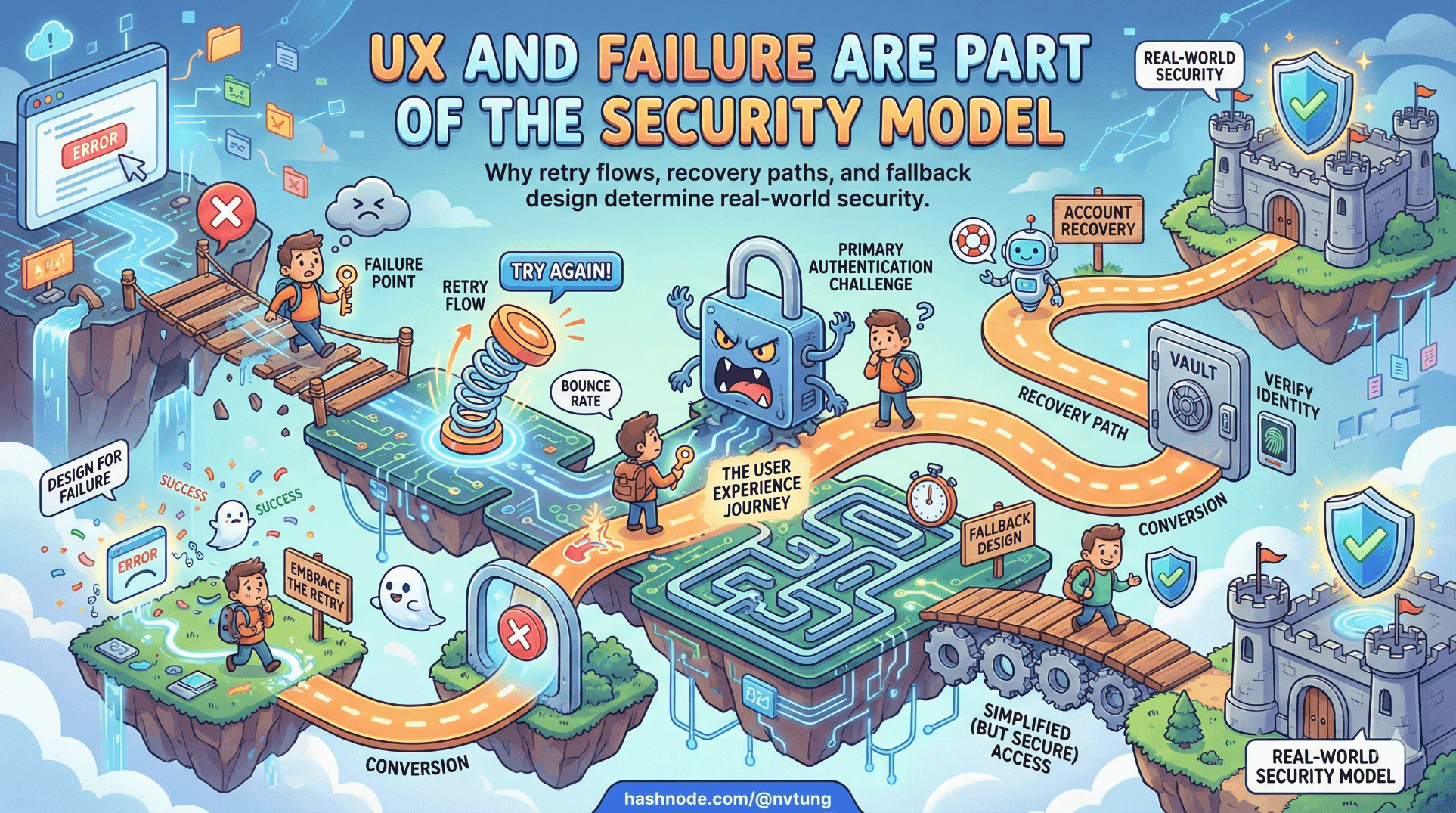
UX and Failure Are Part of the Security Model
Why retry flows, recovery paths, and fallback design determine real-world security
Security engineers love cryptography because it is clean.
Humans are not.
The strongest authentication protocol in the world can be undone by:
a confusing error message,
an unclear retry flow,
a missing recovery path,
or a user who simply wants to get their work done.
If your authentication design does not account for failure as a first-class scenario, it is not secure — it is brittle.
Passwordless systems amplify this truth.
When WebAuthn works, it feels effortless.
When it fails, it reveals whether your architecture was designed for real life or for a demo.
UX is not decoration layered on top of security.
UX is how security expresses itself.
Retry flows are part of the threat model
Consider a simple scenario:
A user attempts WebAuthn authentication.
They cancel the prompt.
What does that mean?
They changed their mind?
The biometric failed?
The authenticator was unavailable?
A malicious script attempted background authentication?
They clicked too quickly?
Your system must interpret failure deliberately.

Immediate retry?
Too many automatic retries can:
confuse users,
create loops,
mask real issues.
Manual retry?
Clear, explicit retry buttons give users control — and reduce panic.
Escalation to fallback?
At what point does the system say:
“Let’s use your identity provider instead”?
Retry logic is not UX polish.
It is part of the attack surface.
An attacker probing authentication flows will:
trigger errors,
observe timing differences,
test fallback conditions.
Your retry model must:
avoid leaking information,
avoid enabling brute force,
avoid trapping legitimate users.
Lockouts: protection or punishment?
Lockouts are traditionally used to prevent brute-force attacks.

But in passwordless systems:
there is no password to brute force,
biometric verification happens locally,
challenge–response is resistant to replay.
So what are we locking out?
If:
a signature counter mismatch occurs,
an authenticator appears cloned,
repeated failures happen,
a lockout might be justified.
But lockouts must be:
transparent,
recoverable,
tied to real risk signals.
Otherwise, they punish legitimate users for:
device glitches,
browser inconsistencies,
OS updates,
or simply aging hardware.
A mature system distinguishes between:
suspicious activity,
normal friction.
Graceful degradation is more secure than aggressive rejection.
Multi-device reality
Real users do not live on a single device.
They:
switch between phone and laptop,
replace hardware every few years,
clear browsers,
use shared or managed devices.
A passwordless-first system must assume:
multiple credentials per account,
multiple authenticators per user,
credentials that appear and disappear over time.
This changes UX expectations.

When a user logs in from a new device, the system should:
not imply something is wrong,
guide them through identity verification,
allow secure credential registration.
Multi-device support is not optional.
It is the default human condition.
Lost device scenarios are inevitable
The most dangerous authentication system is one that assumes users will never lose access to their authenticators.
Phones are lost.
Laptops are stolen.
Security keys are misplaced.
If your system has no structured recovery path, users will demand one — and you will implement it under pressure.

Good recovery design includes:
A trusted bootstrap identity method (e.g., OIDC).
Clear verification steps.
Revocation of lost credentials.
Controlled registration of new credentials.
Audit visibility for the user.
Recovery must be:
secure,
observable,
friction-aware.
Security questions are not recovery.
Email-only resets are not recovery.
Administrative override is not recovery.
Federated identity exists partly to solve this lifecycle problem.
Why fallback is not a weakness
There is a persistent misconception:
“If the system falls back to another method, it weakens security.”
This is only true if fallback is poorly designed.

Fallback becomes dangerous when it:
bypasses primary controls,
uses weaker authentication without policy,
exists only as an emergency hack.
Fallback becomes strong when it:
is part of the architecture,
requires equivalent assurance,
is auditable,
is rate-limited,
and does not undermine the trust model.
In passwordless-first systems:
WebAuthn provides:
- phishing-resistant, device-bound authentication.
OIDC provides:
identity portability,
lifecycle continuity,
bootstrap trust.
They are not substitutes.
They are complementary trust anchors.
The presence of fallback does not weaken security.
Unplanned fallback does.
Graceful degradation is a security feature
Graceful degradation means:
If the optimal path fails,
the system degrades to a slightly less optimal but still secure path —
without chaos.

For example:
WebAuthn unavailable → redirect to OIDC.
OIDC temporarily down → delay login with clear messaging.
Authenticator counter mismatch → require identity re-verification.
The goal is not uninterrupted access at any cost.
The goal is continuity of trust.
Users interpret friction differently depending on clarity.
An unexplained failure feels insecure.
A clearly communicated alternative feels safe.
UX decisions shape security outcomes
A confusing biometric prompt can cause:
users to disable security features,
users to choose weaker alternatives,
users to distrust the system.
An unclear fallback path can cause:
support overload,
ad hoc account resets,
insecure manual overrides.
Every prompt, error message, and redirect is part of the security boundary.

When designing authentication UX, ask:
Does this flow reduce ambiguity?
Does this error explain next steps?
Does this retry loop prevent confusion?
Does this fallback preserve assurance?
Security is not just cryptographic strength.
It is user confidence combined with protocol integrity.
Designing for failure makes systems stronger
Authentication is not about proving success.
It is about handling failure safely.
Passwordless-first systems that ignore failure scenarios:
look elegant in diagrams,
collapse under edge cases,
generate emergency workarounds.
Passwordless-first systems that embrace failure:
define fallback clearly,
support multi-device reality,
structure recovery intentionally,
treat UX as part of the threat model.
That is the difference between a feature and an architecture.
In the next phase of this series, we move from theory to a real implementation — walking through a complete PWA authentication flow that combines WebAuthn and OpenID Connect in production.
Because architecture only proves itself when it survives the unpredictable behavior of actual users.
☰ Series Navigation
Core Series
→ Article 6 — UX and Failure Are Part of the Security Model
Article 7 — A Real Passwordless PWA Flow (Architecture Walkthrough)
Article 9 — Integrating OIDC (Feide) as Fallback and Recovery




