

What “Passwordless” Actually Means
Clarifying passwordless, MFA, and the authentication factors behind modern login systems
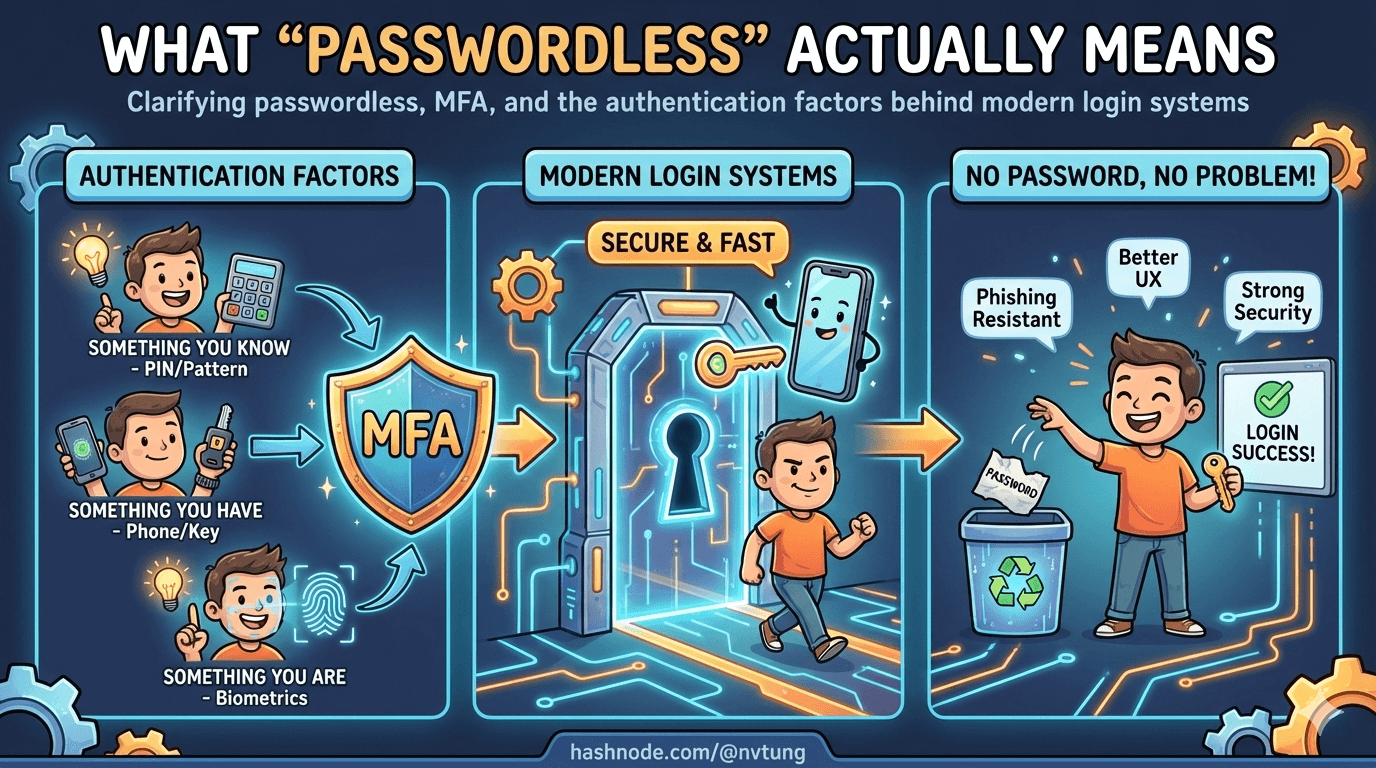
“Passwordless” has become one of those terms that everyone uses and few people define.
Depending on who you ask, it can mean:
logging in with Face ID,
receiving a magic link by email,
approving a push notification,
using a security key,
or never seeing a login screen at all.
Some of these approaches are genuinely passwordless.
Some merely hide the password.
Some quietly depend on passwords more than ever.
If you don’t define what you mean by passwordless, you can’t design it — and you certainly can’t reason about its security.
This article draws clean boundaries between passwordless, MFA, and passwordless-first, explains the underlying authentication factors in plain language, and shows where WebAuthn actually fits in the picture.
Passwordless vs MFA vs passwordless-first
These terms are often used interchangeably. They are not the same.

MFA: strengthening a password-centric system
Multi-Factor Authentication (MFA) starts from the assumption that a password exists.
The system asks for:
something the user knows (password),
plus something they have (OTP, push approval),
or something they are (biometrics).
MFA reduces risk, but the password remains:
the primary identifier,
the primary target,
and the primary liability.
If the password is phished, reused, or leaked, MFA becomes a race condition instead of a guarantee.
MFA is a reinforcement strategy — not a redesign.
Passwordless: no shared secret with the server
A system is truly passwordless when:
the user does not know a reusable secret,
the server does not store a password equivalent,
and authentication relies on challenge–response, not comparison.
This does not mean there is no authentication factor.
It means the factor is non-reusable and non-transferable.
Email magic links, for example, are passwordless — but fragile.
Security keys and WebAuthn credentials are passwordless — and strong.
The difference is not UX. It’s cryptography.
Passwordless-first: an architectural posture
Passwordless-first describes how the system is designed, not a single mechanism.
In a passwordless-first system:
passwordless is the default path,
fallback exists for recovery and portability,
and passwords (if they exist at all) are not the core identity proof.
This distinction matters because:
real users lose devices,
real systems need recovery,
real organizations need federation.
Passwordless-first systems assume failure and design around it.
Pure passwordless systems often pretend failure won’t happen.
The three authentication factors (without jargon)
Most authentication systems are built from three categories of evidence.
Understanding them clarifies almost every design decision.

Knowledge: something you know
Passwords, PINs, security questions.
Strengths:
portable,
easy to reset.
Weaknesses:
phishable,
guessable,
reusable,
leakable.
Knowledge factors scale badly because humans are terrible secret keepers.
Possession: something you have
Phones, hardware keys, authenticator apps, browsers with stored credentials.
Strengths:
not easily copied,
can be bound to a device,
works well with cryptography.
Weaknesses:
devices can be lost,
possession must be proven securely.
Possession factors are the backbone of modern passwordless systems.
Inherence: something you are
Biometrics like fingerprints, face recognition, or voice.
Strengths:
convenient,
fast,
user-friendly.
Weaknesses:
cannot be changed,
not secret,
not suitable for server-side verification.
Biometrics are excellent local gates.
They are terrible remote identifiers.
This is why modern systems never send biometrics to servers. They use biometrics to unlock something else.
Where WebAuthn fits — and what it actually does
WebAuthn does not authenticate users with biometrics.
WebAuthn authenticates devices and credentials using public-key cryptography.

Here’s the key idea:
the server issues a random challenge,
the client signs it using a private key,
the server verifies the signature with a stored public key.
That’s it.
Biometrics enter the picture only because:
the private key is protected by the authenticator,
and the authenticator requires user verification (biometric or PIN) before using it.
In other words:
the biometric unlocks the key,
the key proves possession,
the signature proves freshness,
and the origin binding prevents phishing.
WebAuthn combines:
possession (the device),
optional inherence (biometric),
and strong cryptography.
That combination is what makes it powerful — not the fingerprint itself.
Common myths about passwordless

“Passwordless means no backend”
False.
Passwordless systems require more backend discipline, not less.
The server must:
generate and track challenges,
store credential metadata securely,
verify signatures correctly,
manage counters and replay protection,
and handle fallback and recovery.
Passwordless removes one fragile secret.
It replaces it with protocol correctness.
“Passwordless locks users to one device”
Only if you design it that way.
WebAuthn credentials are device-bound by default, but systems can support:
multiple registered devices,
roaming authenticators,
cloud-synced credentials (with caveats),
federated recovery via identity providers.
Device loss is not a WebAuthn problem.
It’s an identity lifecycle problem.
“Biometrics identify the user”
They don’t.
Biometrics verify local presence.
They do not establish identity on the network.
Any system that treats biometrics as a remote identifier is misunderstanding both security and privacy.
“Passwordless removes the need for identity providers”
It doesn’t.
Passwordless answers: How does the user prove control right now?
Identity providers answer: Who is this user across systems and time?
The strongest systems use both.
Passwordless is a shift in trust, not a feature
The real change passwordless introduces is where trust lives.

Passwords centralize trust on the server:
one database,
many secrets,
catastrophic failure modes.
Passwordless distributes trust:
keys on devices,
verification on servers,
failure isolated per credential.
This is why passwordless feels different when done properly.
It’s not just smoother — it’s structurally safer.
But only if it’s designed as a system.
In the next article, we’ll zoom in on WebAuthn and FIDO2 themselves, explaining how the protocol works without dragging you through the spec — and why it enables things passwords never could.
Because once you see the mechanics, the architectural choices become inevitable.
☰ Series Navigation
Core Series
→ Article 2 — What “Passwordless” Actually Means
Article 7 — A Real Passwordless PWA Flow (Architecture Walkthrough)
Article 9 — Integrating OIDC (Feide) as Fallback and Recovery




