

Anatomy of a Cron Job
How cron jobs actually run—and why production behaves nothing like your local machine
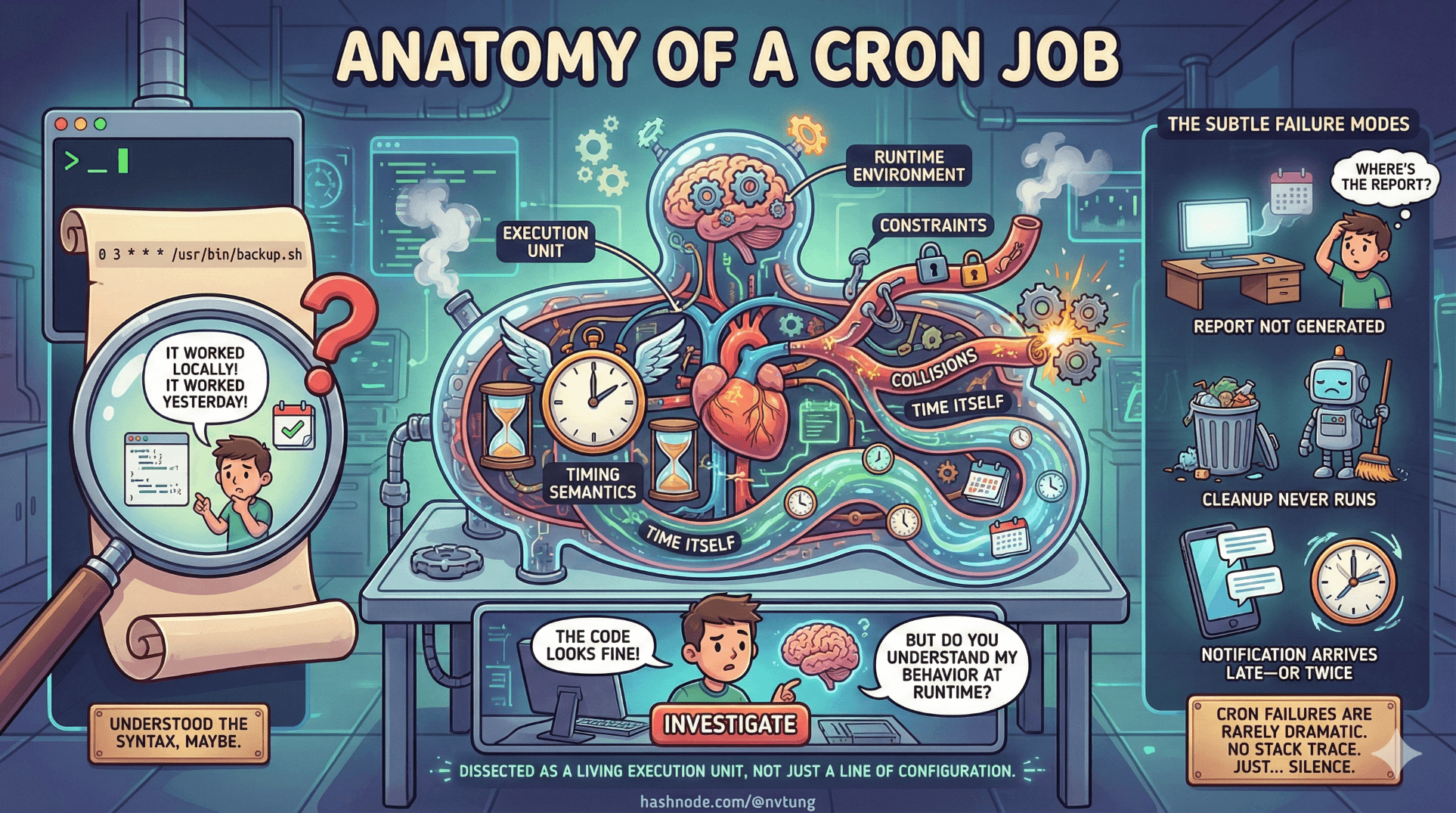
Cron failures are rarely dramatic. There’s no stack trace on your screen, no angry user clicking refresh. Instead, something subtle doesn’t happen. A report isn’t generated. A cleanup never runs. A notification arrives late—or twice. And when you investigate, the code looks fine. It worked locally. It even worked yesterday.
This is where many developers realize too late that they never really understood how cron jobs behave at runtime. They understood the syntax, maybe. But not the execution environment, the timing semantics, or the failure modes.
This article dissects a cron job the way you would dissect a process in an operating system—not as a line of configuration, but as a living execution unit subject to constraints, collisions, and time itself.
Crontab Syntax, Without the Incantations
Most explanations of crontab syntax stop at describing the five fields and move on. That’s necessary, but insufficient. What matters more is how cron interprets time.
A typical entry looks like this:
*/5 * * * * some-command
This does not mean “run every five minutes starting when the system boots.” It means: for every minute where (minute % 5 == 0) is true, attempt execution. That distinction matters.
Cron does not track state between runs. It does not remember when a job last executed. It simply evaluates the current clock against a set of rules.
This leads to several non-obvious behaviors:
0 * * * *runs at minute zero of every hour, not “once an hour after the last run.”*/15does not guarantee exactly 15 minutes between executions if the system clock changes.Multiple schedules can match the same minute and trigger multiple runs back-to-back.
Cron is declarative, not procedural. You describe valid times, not intervals. If you think in intervals, you will misinterpret behavior under clock drift, restarts, or downtime.
A useful mental shift is to think of crontab entries as filters over time, not timers.
The Execution Environment: Why Cron Is Not Your Shell
One of the most common surprises is that cron jobs run in a minimal, non-interactive environment. This is not a bug; it’s a design choice.
When cron launches a job:
There is no interactive shell
The
PATHis often extremely limitedShell profiles (
.bashrc,.zshrc, etc.) are not loadedLocale and timezone settings may differ
Permissions are exactly those of the executing user—nothing more
This explains a large class of “works on my machine” failures.

A command like node, php, or python may exist in your interactive shell’s PATH but be invisible to cron. Relative paths that work in a terminal fail silently under cron. Scripts that assume a working directory break because cron does not guarantee one.
The practical implication is simple but strict: cron jobs must be explicit.
Use absolute paths
Set required environment variables explicitly
Assume nothing about shell state
Treat cron as a cold, empty room
If your job needs context, you must provide it.
Output Handling: Where Messages Go to Disappear
Cron jobs produce output like any other process: standard output (stdout) and standard error (stderr). What happens to that output depends entirely on how the job is configured.
By default:
Any output is sent via email to the job owner (on systems with mail configured)
If output is redirected, cron considers its job done regardless of success or failure
This leads to a dangerous illusion: silence does not mean success.

Redirecting output to /dev/null removes noise, but it also removes visibility. Redirecting stdout but not stderr can hide partial failures. Logging everything without rotation can fill disks.
The key insight is that cron itself does not care about output. Output is for humans, not for cron. If you want machines to react to failures, you must encode that logic yourself—through exit codes, monitoring hooks, or downstream systems.
Cron will happily run a job that fails instantly and report nothing unless you ask it to.
Idempotency: Designing for Repetition, Not Perfection
Cron jobs are not guaranteed to run exactly once. They may:
Run twice due to overlaps
Be retried manually
Be re-run after partial failure
Be triggered after downtime
This is why idempotency matters.

An idempotent job produces the same result whether it runs once or multiple times. This is not a theoretical ideal; it is a survival strategy.
Non-idempotent cron jobs accumulate damage:
Double charges
Duplicate records
Repeated emails
Corrupted state
Idempotent cron jobs absorb chaos gracefully. They check before acting. They reconcile rather than assume. They treat execution as eventually consistent, not atomic.
Cron does not enforce idempotency. It exposes the need for it.
What Happens When Jobs Overlap
Cron does not wait for a job to finish before scheduling the next matching run. If a job takes longer than its schedule interval, cron will start another instance anyway.
This can lead to:
Resource contention
Race conditions
Data corruption
Cascading failures
Overlap is not an edge case; it is a natural consequence of time-based scheduling.

There are only three real strategies to deal with it:
Ensure jobs always complete within their interval (fragile)
Design jobs to be safe when run concurrently (hard)
Prevent overlap explicitly (common and practical)
The third option introduces locking.
Locking: Teaching Time to Wait
Locking is how you teach cron jobs to respect each other.
The simplest form is a file lock:
Job attempts to create or acquire a lock
If the lock exists, the job exits
If not, it proceeds and releases the lock on completion
Database locks achieve the same effect with shared state. Distributed locks extend the idea across machines.

Each strategy has tradeoffs:
File locks are simple but local
Database locks centralize coordination but add coupling
Distributed locks add complexity but enable scale
What matters is the principle: cron does not serialize execution for you. If serialization matters, you must implement it.
Fire-and-Forget Execution
Cron embodies a fire-and-forget execution model. Once a job is launched, cron does not monitor it, retry it, or care about its outcome.
This model is powerful but dangerous. It encourages separation of concerns: cron triggers execution; your system handles consequences. But it also means failures can vanish without a trace.

Fire-and-forget is appropriate when:
The job is resilient
Failure is tolerable or detectable elsewhere
The task can be retried safely
It is inappropriate when:
Failure must be handled immediately
Execution must be guaranteed exactly once
State consistency is fragile
Understanding this boundary prevents misuse.
Stateless vs State-Aware Cron Jobs
Some cron jobs are stateless. They compute something from scratch each time and write results. Others are state-aware, depending on previous runs.

Stateless jobs are easier to reason about:
They are naturally idempotent
They tolerate reruns
They scale better
State-aware jobs require discipline:
Clear state transitions
Defensive checks
Explicit recovery paths
Cron does not care which type you write, but your operational burden does.
Why “It Works on My Machine” Fails at 2 AM
By the time a cron job fails in production, all the assumptions baked into local testing surface at once:
Missing environment variables
Different paths
Different permissions
Different timing
Concurrent execution
No human watching

Cron is merciless in this way. It exposes hidden dependencies and sloppy assumptions. That is not cruelty; it is clarity.
Understanding the anatomy of a cron job means understanding that execution is not just about what runs, but where, when, and under what constraints it runs.
Once you internalize that, cron stops being mysterious—and starts being predictable.
And predictability is the real goal.
☰ Series Navigation
Core Series
→ Part 2: Anatomy of a Cron Job
Part 5: HumHub & Yii: Design Intent Behind the Cron Architecture




