

Cron at Scale: Patterns and Anti-Patterns
How cron fits into growing systems—and when it should stop doing the work itself
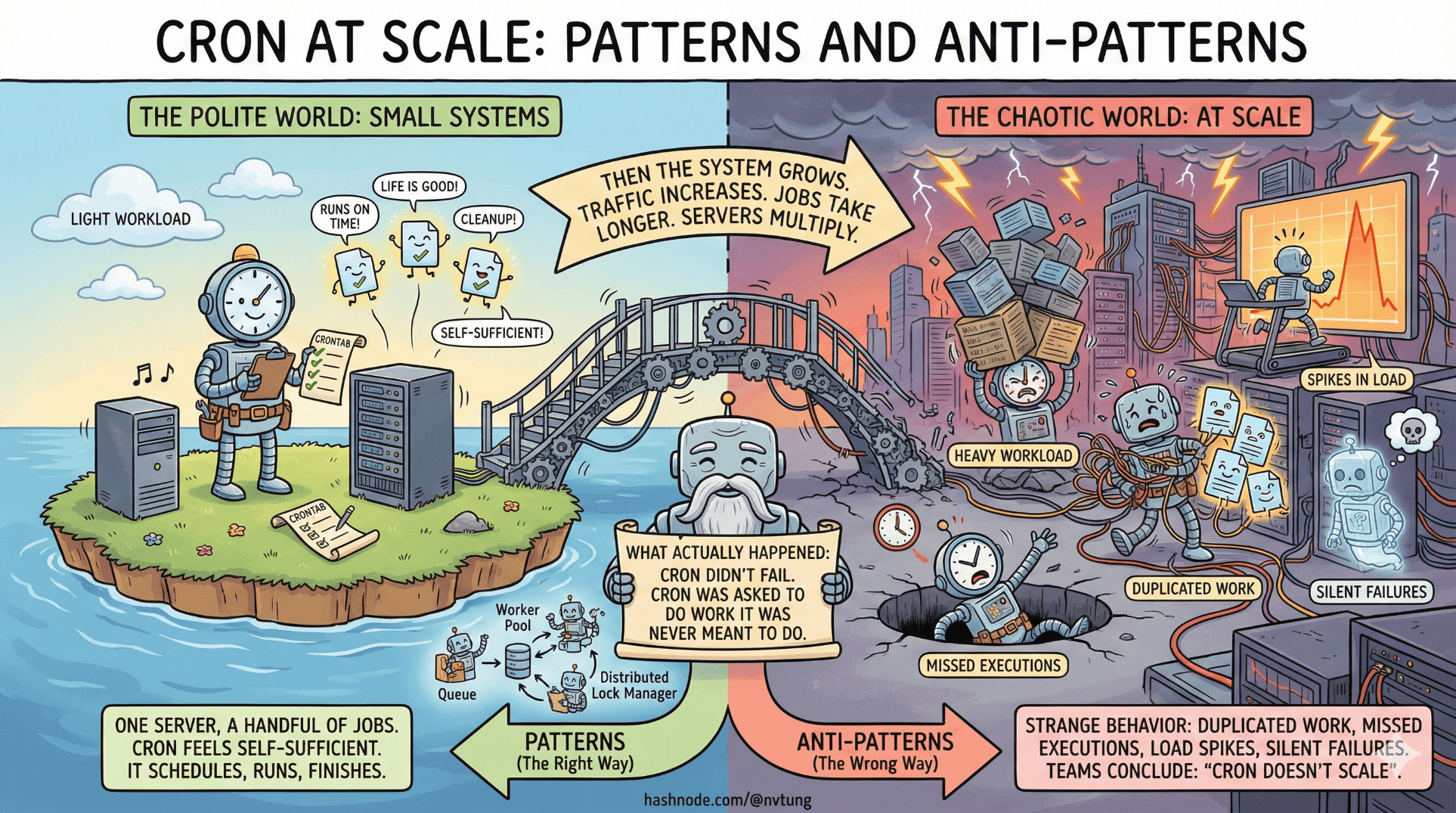
Cron behaves very politely in small systems. One server, a handful of jobs, light workloads. You add a few entries to a crontab, things run on time, and life is good. In that world, cron feels self-sufficient. It schedules, it runs, it finishes.
Then the system grows.
Traffic increases. Jobs take longer. Servers multiply. Suddenly the same cron setup that felt rock-solid starts to exhibit strange behavior: duplicated work, missed executions, spikes in load, silent failures that only surface days later. This is usually the moment when teams conclude that “cron doesn’t scale.”
What actually happened is more subtle. Cron didn’t fail. Cron was asked to do work it was never meant to do.
This article is about recognizing that boundary—and designing systems where cron plays its proper role.
Cron’s Scalable Role: Scheduler, Not Worker
At scale, the most important shift is conceptual: cron should schedule work, not perform it.
Cron’s strengths are narrow and specific:
It understands time
It triggers commands reliably when the clock matches
It does so with minimal overhead
Cron’s weaknesses are equally clear:
It has no notion of concurrency
It does not coordinate across machines
It does not retry intelligently
It has no built-in observability

Trying to make cron “do the work” turns those weaknesses into system-level risks. Using cron as a scheduler—a starting gun rather than a marathon runner—keeps it in its zone of competence.
In scalable systems, cron’s job often ends after a few milliseconds. It fires a command that hands responsibility to something else.
Delegation as the Scaling Strategy
Once cron is treated as a scheduler, delegation becomes the central pattern.
Instead of running heavy logic directly, cron triggers:
A message published to a broker
A job pushed into a queue
A lightweight task runner invocation
The heavy lifting happens elsewhere, under systems designed for concurrency, retries, and load.

Cron + Job Queues
This is the most common and effective pattern.
Cron runs on a schedule and enqueues jobs. Workers pull from the queue at their own pace, scaling horizontally as needed. Failures are retried, delayed, or dead-lettered. Backpressure becomes visible.
In this model:
Cron answers when
The queue answers how much
Workers answer how fast
This separation turns time-based intent into scalable execution.
Cron + Message Brokers
When work needs to fan out to multiple consumers or services, cron can publish a message rather than enqueue a task. The broker handles distribution. Consumers decide independently how to react.
This is especially useful when:
Multiple systems need to react to the same scheduled event
You want loose coupling between scheduler and workers
Execution timing matters less than delivery
Cron becomes a time-based event source.
Cron + Task Runners
Sometimes delegation is simpler. Cron invokes a task runner that already understands locking, concurrency limits, and retries. The runner abstracts away execution details while cron remains the trigger.
This pattern is common in environments where operational tooling already exists and introducing a full queue is unnecessary.
Fan-Out vs Fan-In Job Models
As systems grow, scheduled work tends to follow one of two shapes.
Fan-out jobs start small and expand:
Cron triggers a job
That job enumerates work items
Work is distributed across workers
Examples include batch processing, per-user notifications, or data backfills.
Fan-in jobs do the opposite:
Many events accumulate over time
Cron periodically aggregates, reconciles, or summarizes
Examples include daily reports, cleanup, billing reconciliation, or consistency checks.

Understanding which shape you’re dealing with matters. Fan-out jobs stress concurrency and queue capacity. Fan-in jobs stress correctness and data consistency. Cron is indifferent to both—but your architecture shouldn’t be.
High-Frequency vs Low-Frequency Scheduling
Not all cron jobs are equal. Frequency changes the nature of risk.
Low-frequency jobs (daily, weekly):
Failures may go unnoticed longer
Manual reruns are common
Human expectations are higher
High-frequency jobs (every minute or less):
Overlaps are likely
Resource contention becomes visible
Small inefficiencies amplify quickly

A common scaling mistake is treating high-frequency jobs as “small” just because they run often. In reality, these jobs are some of the most dangerous if poorly designed. At scale, a job that runs every minute is effectively part of your core runtime.
High-frequency scheduling demands:
Idempotency
Locking or concurrency control
Clear visibility into execution health
Cron can trigger these jobs, but it cannot manage their consequences.
Anti-Pattern: Doing Heavy Work Directly in Cron
This is the classic failure mode.
A cron entry runs a script that:
Processes large datasets
Calls external services repeatedly
Performs long-running computations
It works—until it doesn’t.
Problems emerge gradually:
Jobs overlap
Load spikes at predictable times
Failures block subsequent runs
Scaling requires editing crontabs instead of infrastructure

Cron becomes a bottleneck rather than a coordinator. The fix is not “optimize the script” but move the work out of cron entirely.
Heavy work belongs behind systems that understand load.
Anti-Pattern: Silent Failure Everywhere
Redirecting all output to /dev/null feels tidy. At scale, it is dangerous.
Silent failure means:
Jobs fail without signals
Partial failures accumulate
Recovery becomes guesswork
Cron will not complain if your job exits immediately with an error. If no one is listening, nothing happens.

Scaling systems require signals. Logs, metrics, exit codes, alerts—something must make noise when things go wrong. Silence is only acceptable when failure is truly irrelevant, which is rarer than most teams think.
Anti-Pattern: Multiple Servers Running the Same Cron
This problem appears the moment a system becomes distributed.
Each server looks identical. Each has the same crontab. Suddenly, jobs run multiple times. Data is duplicated. External APIs are hit repeatedly. Nobody remembers adding more servers.
Cron has no built-in coordination across machines. It assumes it is alone.
At scale, you must answer one question explicitly: which instance is allowed to schedule this job?

Solutions vary:
Designated scheduler node
External locking
Moving scheduling into a centralized service
Ignoring the question guarantees surprises.
Anti-Pattern: No Observability
At small scale, you can “just check.” At large scale, you can’t.
Without observability:
You don’t know if jobs ran
You don’t know how long they took
You don’t know how often they fail

Cron itself provides none of this. If you don’t add visibility around it, you are flying blind.
Observability does not have to be complex. Even basic signals—start time, end time, success or failure—dramatically improve confidence. What matters is that execution leaves a trace.
Supporting Tools (Conceptually)
As systems grow, cron often partners with other infrastructure rather than standing alone.
Queue systems absorb workload.
Process supervisors keep workers alive.
Service managers replace ad-hoc scheduling.
Monitoring systems turn execution into insight.

These tools don’t replace cron’s role; they contain it. Cron triggers intention. Other systems execute, observe, and recover.
Knowing When Cron Should Step Back
Cron scales best when it knows its limits.
If cron is:
Coordinating time-based intent
Delegating execution
Triggering idempotent, observable workflows
Then it remains valuable even in large systems.
If cron is:
Doing heavy work
Acting as a concurrency controller
Serving as the only source of truth
Then it becomes a liability.

The mark of a mature system is not the absence of cron, but the clarity of its role. When cron steps back and lets specialized systems handle execution, the architecture becomes calmer, more predictable, and easier to evolve.
At scale, cron is no longer the engine.
It’s the conductor—raising the baton, then letting the orchestra play.
☰ Series Navigation
Core Series
Part 2: Anatomy of a Cron Job
→ Part 3: Cron at Scale: Patterns and Anti-Patterns
Part 5: HumHub & Yii: Design Intent Behind the Cron Architecture




