

Cron Failure Modes, Tradeoffs, and Lessons Learned
What broke, what surprised me, and how real constraints reshape “best practices”
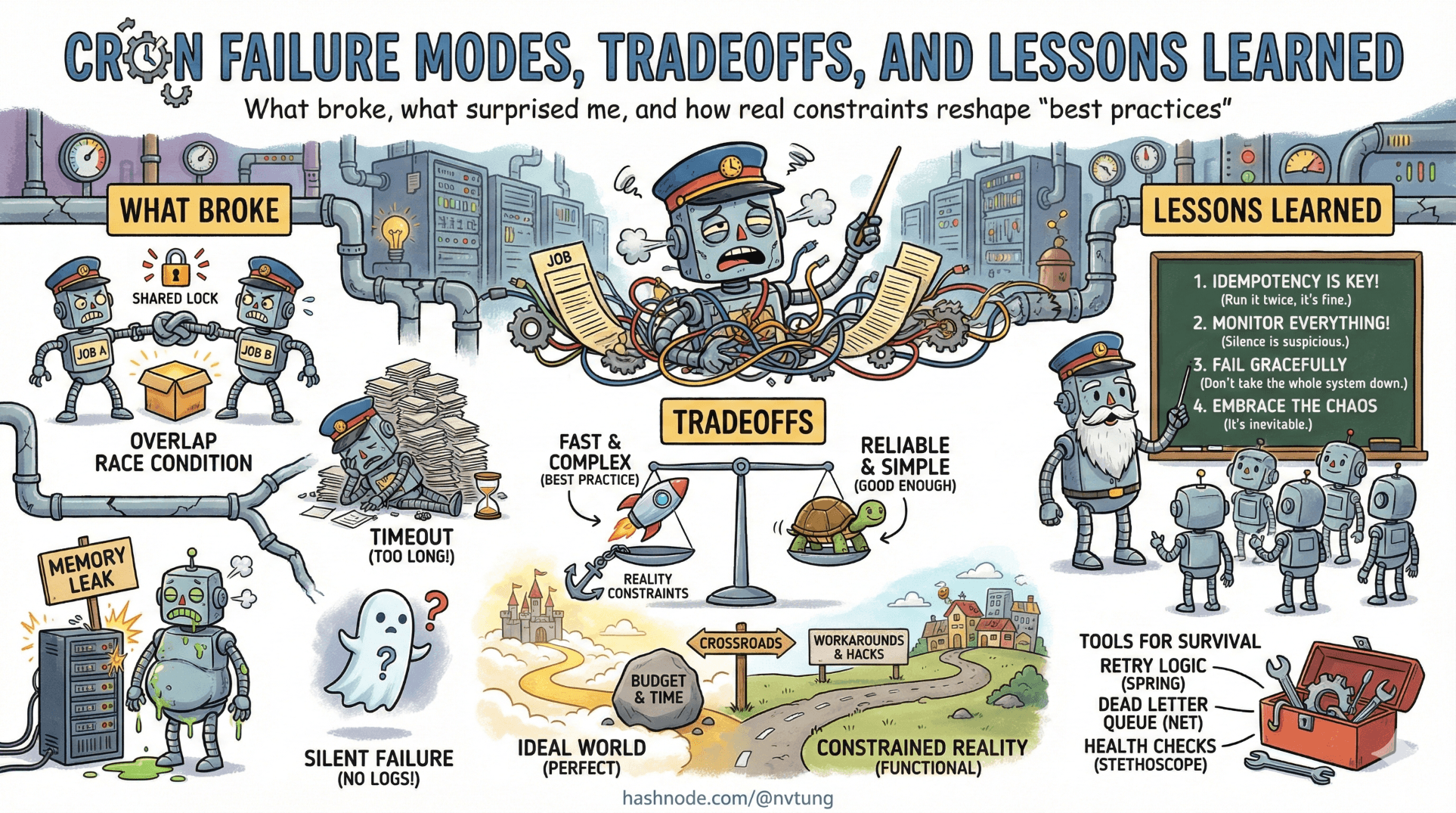
By the time a system reaches production, most architectural mistakes don’t announce themselves loudly. They surface as unease. As dashboards that look fine but feel wrong. As bugs that appear only at certain hours. As jobs that “usually” run.
This article is not about heroics or clever fixes. It’s about what actually broke, what almost broke, and—more importantly—what those failures taught me about designing cron-driven systems with Yii and HumHub.
The goal here isn’t to give you a checklist. It’s to sharpen your instincts.
What Breaks First Under Load
The first thing to fail was not cron itself. It was assumptions about time and duration.
1. Job duration quietly exceeded its schedule
A job that “normally takes a few seconds” eventually didn’t. Data grew. Users increased. External APIs slowed down.
Cron did exactly what it promised: it started the next run anyway.
* * * * * php yii queue/run
Suddenly:
Two instances ran in parallel
Database rows were locked longer than expected
CPU spikes became rhythmic and predictable
Nothing crashed. But the system felt heavier.
The lesson: cron pressure reveals hidden O(n) behavior. Anything that runs “often” will eventually be stressed by growth, even if growth is slow.
If a job runs every minute, you must treat it as part of your core runtime, not background noise.
2. The queue became the bottleneck, not the web app
Under load, user-facing requests stayed fast. That was the whole point of async jobs.
But the queue told a different story.
Yii::$app->queue->push(new SendNotificationJob([
    'userId' => $userId,
]));
With more activity:
Jobs accumulated faster than they were drained
Latency quietly increased from seconds to minutes
Nothing failed, but “near real-time” became “eventual-ish”
Cron didn’t break. The queue didn’t break. Expectations broke.
The lesson: queues don’t fail loudly when under-provisioned—they fail by stretching time.
What Breaks Silently
Silent failures are the most dangerous kind, because they don’t trigger human response.
1. Output suppression hides early warning signs
This line was intentional:
>/dev/null 2>&1
And it worked—until it didn’t.
While critical errors were logged properly, non-fatal warnings weren’t. Things like:
Deprecated behavior
Partial failures
Unexpected but recoverable states
These didn’t stop jobs from completing, but they signaled future problems.
The lesson: suppressing output is fine, but only if application-level logging is deliberate and complete. Cron silence must be compensated elsewhere, or it becomes blindness.
2. “It didn’t run” looks identical to “it ran and did nothing”
When interval jobs didn’t execute during nightly downtime in non-production environments, two cases became indistinguishable:
The job never ran
The job ran and decided it had nothing to do
From the outside, both look like “nothing happened.”
The lesson: absence of effects is not evidence of absence of execution.
If a job’s effect matters, it must leave a trace—even when it’s a no-op.
What Surprised Me
1. Predictability mattered more than speed
I expected performance questions. What surprised me was how often operational clarity mattered more.
Knowing that:
Jobs run at most once per minute
There are exactly two cron entry points
All scheduling logic lives in code
…made debugging far easier than shaving seconds off execution time.

The system was slower than it could have been—and much easier to reason about.
That tradeoff paid for itself repeatedly.
2. Downtime in non-prod improved job design
The nightly shutdown felt like a handicap at first. It turned out to be a forcing function.
Jobs had to:
Tolerate missed runs
Be idempotent by default
Avoid fragile “every X minutes exactly” logic
Production benefited from this discipline, even though it didn’t share the same downtime.

The lesson: constraints can be pedagogical. They teach you what your design actually depends on.
What I’d Change With More Traffic
With higher throughput, the first change would not be cron.
It would be queue concurrency.
php yii queue/run
Serial processing is simple, but it doesn’t scale indefinitely. With more traffic, I would:
Introduce multiple queue workers
Partition job types by priority
Separate “user-visible” jobs from maintenance work
Cron would remain unchanged. Its role as a scheduler was already sufficient.
The lesson: scale the execution layer first, not the scheduler.
What I’d Change With More Servers
More servers introduce coordination problems.
The biggest risk would be:
Multiple machines running the same cron.
With more servers, I would:
Centralize cron on a single node
Or introduce a distributed lock before
cron/runOr move scheduling into a dedicated service
The worst option would be to “hope it’s fine.”
The lesson: cron assumes solitude. The moment that assumption breaks, you must respond deliberately.
What I’d Change With More Budget
More budget buys you optionality, not correctness.

With more budget, I would consider:
Persistent queue workers managed by a supervisor
Better monitoring and alerting around job latency
Clearer dashboards for scheduled vs executed work
What I would not do:
Replace cron just because it’s old
Add complexity without a specific failure mode to justify it
Money makes mistakes easier to hide, not harder to make.
Why Some “Best Practices” Were Ignored
Some choices look wrong on paper.
Running workers every minute instead of continuously
Suppressing cron output
Accepting up-to-60-second latency
Not replaying missed interval jobs
These weren’t oversights. They were conscious refusals.
Best practices are contextual. They assume:
Certain infrastructure
Certain uptime guarantees
Certain operational maturity
This system didn’t have all of those. Pretending it did would have been worse than ignoring the advice.

The lesson: best practices are not laws; they are hypotheses. You validate them against constraints, not the other way around.
The Meta-Lesson: Learn to Ask Better Questions
The most valuable shift wasn’t technical. It was cognitive.
Instead of asking:
- “Is this the right way to do cron?”
I learned to ask:
“What does this design assume?”
“What happens when those assumptions fail?”
“Where does time accumulate?”
“Where does silence hide information?”
Cron is unforgiving in a useful way. It exposes hidden dependencies between time, state, and execution.

If you listen carefully, failures stop being embarrassing and start being instructive.
What You Should Take Away
Don’t copy this setup.
Instead:
Copy the discipline of explicit tradeoffs
Copy the habit of designing for missed runs
Copy the separation between scheduling and execution
Copy the willingness to accept imperfection in exchange for clarity

Systems don’t fail because they’re not clever enough.
They fail because they’re clever in ways nobody understands later.
Cron doesn’t forgive that.
And that’s exactly why it’s such a good teacher.
☰ Series Navigation
Core Series
Part 2: Anatomy of a Cron Job
Part 5: HumHub & Yii: Design Intent Behind the Cron Architecture
→ Part 7: Failure Modes, Tradeoffs, and Lessons Learned




